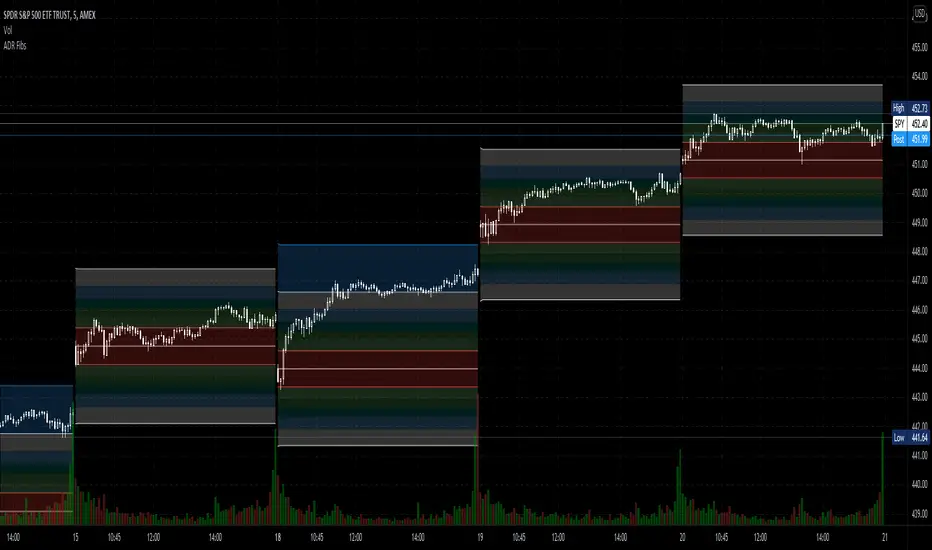
Trappp's Advanced Multi-Timeframe Trading ToolkitTrappp's Advanced Multi-Timeframe Trading Toolkit
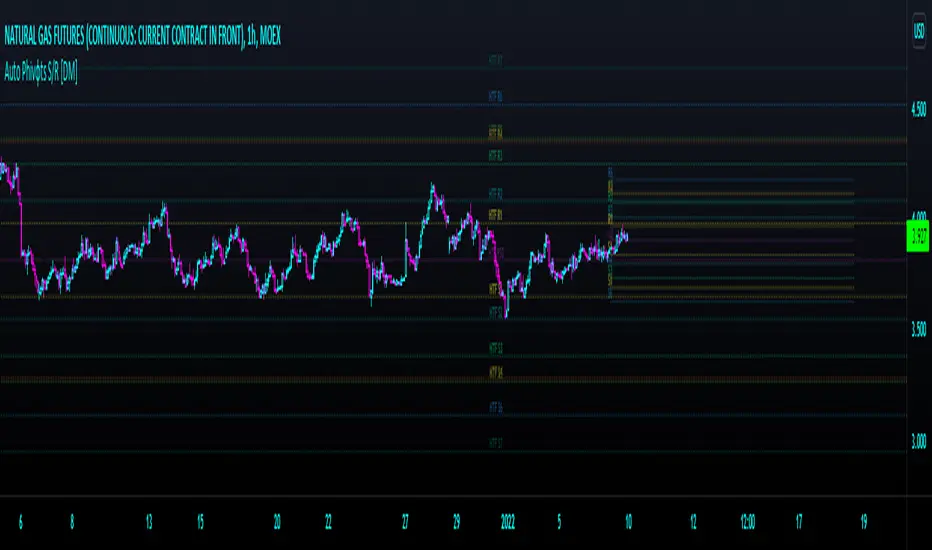
This comprehensive trading script by Trappp provides a complete market analysis framework with multiple timeframe support and resistance levels. The indicator features:
Key Levels:
· Monthly (light blue dashed) and Weekly (gold dashed) levels for long-term context
· Previous day high/low (yellow) with range display
· Pivot-based support/resistance (pink dashed)
· Premarket levels (blue) for pre-market activity
Intraday Levels:
· 1-minute opening candle (red)
· 5-minute (white), 15-minute (green), and 30-minute (purple) session levels
· All intraday levels extend right throughout the trading day
Technical Features:
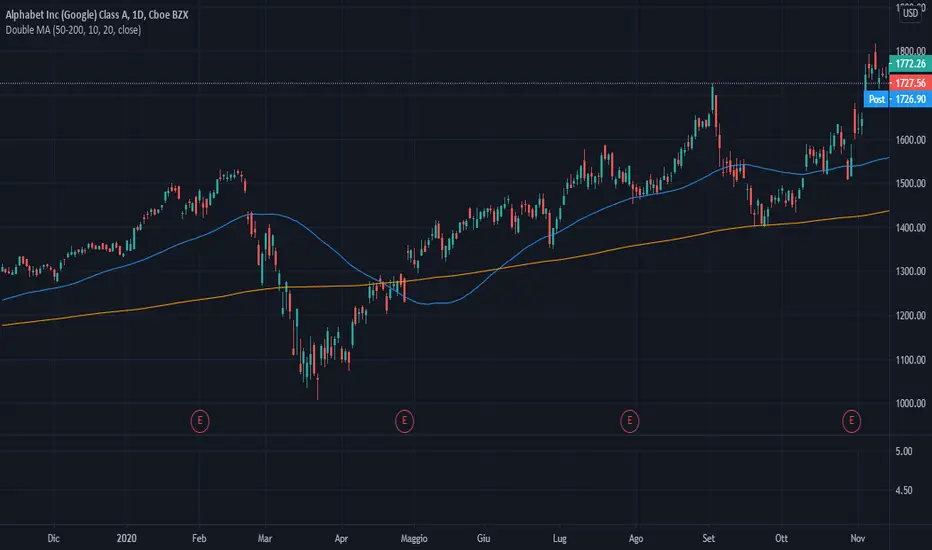
· EMA 50/200 cross detection with alert labels
· Candlestick pattern recognition near key levels
· Smart proximity detection using ATR
· Automatic daily/weekly/monthly updates
Trappp's script is designed for traders who need immediate visual reference of critical price levels across multiple timeframes, helping identify potential breakouts, reversals, and pattern-based setups with clear, color-coded visuals for quick decision-making.
在腳本中搜尋"GOLD"
Advanced Trading ToolkitTrappp's Advanced Multi-Timeframe Trading Toolkit
This comprehensive trading script by Trappp provides a complete market analysis framework with multiple timeframe support and resistance levels. The indicator features:
Key Levels:
· Monthly (light blue dashed) and Weekly (gold dashed) levels for long-term context
· Previous day high/low (yellow) with range display
· Pivot-based support/resistance (pink dashed)
· Premarket levels (blue) for pre-market activity
Intraday Levels:
· 1-minute opening candle (red)
· 5-minute (white), 15-minute (green), and 30-minute (purple) session levels
· All intraday levels extend right throughout the trading day
Technical Features:
· EMA 50/200 cross detection with alert labels
· Candlestick pattern recognition near key levels
· Smart proximity detection using ATR
· Automatic daily/weekly/monthly updates
Trappp's script is designed for traders who need immediate visual reference of critical price levels across multiple timeframes, helping identify potential breakouts, reversals, and pattern-based setups with clear, color-coded visuals for quick decision-making.
Lot Size & Risk Calculator All Pairs NEWLot Size & Risk Calculator All Pairs NEW
Description
Professional risk and position size calculator for traders working with various financial instruments.
Main difference from standard indicators:
Standard risk calculators only show basic Risk/Reward for the entire position. But in real trading, we often close positions partially at different take-profit levels, and the final Risk/Reward changes significantly with this approach! This indicator calculates weighted Risk/Reward taking into account position distribution across multiple take-profit levels.
Main features:
- Support for 4 instrument types: Forex, XAUUSD (gold), BTCUSD (bitcoin), US100 (NASDAQ index)
- Automatic position size calculation based on risk and stop-loss distance
- Multiple take-profit levels with customizable closing percentages
- Weighted Risk/Reward calculation considering position distribution
- Ability to adjust position distribution between take-profits to optimize final profit
- Display of total percentage growth of deposit from all take-profit levels
- 2 visualization options: colored fill between levels or lines
- Informative results panel in table format
Settings by groups:
Core Settings
- Currency: select instrument type (Forex, XAUUSD, BTCUSD, US100)
- Account Balance: trading account size in dollars
- Risk %: risk percentage from deposit (0.1-100%)
- Use Custom Contract Sizes: manual contract size configuration
Point Value Settings
- Use automatic point value calculation: automatic point value calculation
- Manual point value: manual point value input (for non-standard contracts)
Levels
- Entry Price: entry price (confirmation required on first use)
- Stop Price: stop-loss price
- Take-Profit Prices: take-profit prices (up to 3 levels)
- TP Close %: percentage of position closed at each take-profit level
Dashboard
- Show Targets Profit: display profit from take-profit levels
- Label Size: text size in the table
- Dashboard Position: table position on the chart
How to use:
Step 1: Initial setup (when first adding)
1. Enter entry price (Entry Price) - confirmation window will appear (click on desired bar)
2. Then enter stop-loss price (Stop Price) (click on desired bar)
3. Add first take-profit (TP1) (click on desired bar)
4. Second and third take-profits are added through checkboxes (click on the settings gear icon to open them)
Step 2: Instrument selection and risk configuration
1. In "Core" group, select your instrument type
2. Set account balance and risk percentage
Step 3: Position distribution configuration
1. Set TP Close % for each take-profit level (e.g.: TP1 - 33%, TP2 - 33%, TP3 - 34%)
2. Experiment with distribution! By changing closing percentages, you can:
- Increase/decrease final Risk/Reward
- Optimize risk/profit ratio
- Find the most comfortable position distribution for you
Step 4: Results analysis
1. Results table will show:
- Calculated position size (lots/contracts)
- Risk in monetary terms
- Risk/Reward for each take-profit level
- Weighted R:R considering position distribution
- Total potential profit from all take-profits
- Percentage growth of deposit - total profit percentage from all take-profit levels
Key features:
Position distribution adjustment
You can easily find optimal position distribution between take-profits:
- Aggressive approach: higher percentage on distant take-profit (higher profit potential)
- Conservative approach: higher percentage on near take-profit (faster profit taking)
- Balanced: even distribution for risk reduction
Weighted Risk/Reward
The indicator calculates not just simple R:R for the entire position, but weighted value that considers:
- Position distribution between take-profits
- Different distances to each take-profit level
- Closing percentage at each level
Results visualization
- Colored fill shows risk and profit zones
- Labels at levels display specific profit/loss values
- Results table contains all key metrics
Creation story
This indicator was created based on the original calculator by @Algoryze As a trader, I lacked the ability to see real Risk/Reward when partially closing positions and a convenient tool for selecting optimal position distribution between take-profit levels. I improved the indicator by adding:
- Weighted Risk/Reward calculation
- Ability to adjust closing percentage at each take-profit
- Display of total percentage growth of deposit
- Improved interface and visualization
I hope this tool will be useful to other traders who use strategies with partial position closing!
Important notes:
1. When first adding the indicator, be sure to enter prices in order: Entry → Stop → TP1
2. TP2 and TP3 are added through input fields (no confirmation required)
3. Closing percentages are automatically normalized if the sum is not 100%
4. Experiment with position distribution to find optimal risk/profit ratio
5. For different instruments, add separate copies of the indicator in different tabs
Support
For questions and suggestions, leave comments in the indicator publication on TradingView.
---
Important: All calculations are provided for informational purposes only. Trading involves risks, trade responsibly. The indicator helps with calculations but does not guarantee profit.
VSA - Absorption - Bookmap
- Backtest on Gold, ES, major forex (liquid instruments where VSA works best).
- Filter with trend (EMA 50/200) or session (London/NY open).
- Combine with your Bookmap: use Pine signal → confirm with absorption/iceberg + delta flip.
- Risk: 0.5–1.5% per trade, 1:3+ R:R.
Ranked Exchange Volume (REV)📊 Ranked Exchange Volume (REV) - Multi-Venue Volume Distribution Visualizer
## Stop Guessing Where the Real Volume Is. See It.
Most traders look at aggregate volume and miss the critical story: **where** that volume actually traded. Ranked Exchange Volume (REV) solves this by revealing the complete liquidity landscape across multiple trading venues in a single, elegant visualization.
This isn't just another volume indicator—it's a **dynamic stratified histogram** that automatically reorganizes exchange layers by magnitude on every bar, showing you **instant market dominance** at a glance.
---
## 🎯 The Core Innovation: Self-Organizing Volume Layers
REV displays volume from up to 10 different exchanges as **stacked, color-coded bars** where the largest volume source literally rises to the top. Watch as exchanges compete for dominance in real-time:
- **Largest volume = Top of the bar** (most visible position)
- **Smallest volume = Bottom of the bar** (foundation layer)
- **Everything in between = Automatically sorted on every candle**
This visual hierarchy makes it instantly obvious which venues are leading the market—no mental math required.
---
## ✨ Key Features
### 🔄 **Dynamic Layer Sorting**
Unlike static stacked charts, REV uses real-time stratification. If Binance had 60% of volume last bar but Coinbase takes 70% this bar, you'll see Coinbase jump to the top. The hierarchy reflects current reality, not a fixed order.
### 🎨 **10 Fully Customizable Exchange Slots**
Each exchange slot offers complete control:
- **Enable/Disable toggle** - Turn exchanges on/off without losing your configuration
- **Custom prefix** - Track ANY exchange on TradingView (BINANCE, KRAKEN, OANDA, FXCM, etc.)
- **Custom suffix** - Specify quote currency (USDT, USD, EUR, or leave blank for stocks/forex)
- **Display name** - Control how exchanges appear in the rankings table
- **Color selection** - Match your chart theme or use brand colors for instant recognition
### 📊 **Live Rankings Table**
A real-time leaderboard shows:
- **Rank** - Current position (1 = highest volume)
- **Exchange name** - With color-coded background
- **Volume** - Intelligently formatted with K/M/B units
- **Percentage** - Exact market share
**Table positioning:** Choose from 9 screen positions (top/middle/bottom × left/center/right) to keep your chart clean.
### 🧮 **Intelligent Volume Formatting**
REV automatically detects volume magnitude and applies the appropriate scale:
- **Billions** - Displays as "1.5B" for readability
- **Millions** - Displays as "342.8M"
- **Thousands** - Displays as "45.2K"
- **Full numbers option** - Toggle to see complete values (23,456,789)
The scale adjusts per-bar, so you always see the clearest representation.
### 🚨 **Three Built-In Alert Conditions**
1. **Exchange Dominance Alert (>50%)**
- Triggers when a single venue controls majority of volume
- Signals potential liquidity concentration risk or exchange-specific events
2. **Volume Spike Alert (>2x average)**
- Detects unusual aggregate activity across all venues
- Catches breakouts, news events, or institutional flow
3. **Liquidity Migration Alert**
- Fires when market leadership shifts between exchanges
- Reveals arbitrage opportunities or changing market structure
### 📈 **Optional Total Volume Line**
Display aggregate volume from all exchanges as a reference overlay with customizable color.
---
## 🌍 Market Compatibility: Beyond Crypto
While optimized for cryptocurrency (its primary design), REV works across multiple asset classes:
### ✅ **Cryptocurrency (Perfect Fit)**
**Why it excels:** Crypto trades 24/7 across dozens of global exchanges simultaneously. REV reveals true price discovery.
**Example configurations:**
- **BTC/USDT:** Compare Binance, Coinbase, OKX, Bybit, Kraken, Bitget
- **ETH/USD:** Track institutional venues (Coinbase, Kraken, Gemini) vs retail (Binance, Gate.io)
- **Altcoins:** Identify which exchanges have the deepest liquidity before placing large orders
**Trading applications:**
- **Arbitrage detection** - Spot when volume migrates between venues (price differential opportunities)
- **Exchange risk** - Don't trade on exchanges with suspiciously low volume
- **Whale tracking** - Sudden Coinbase dominance often signals institutional activity
- **Market maker identification** - Consistent Binance leadership suggests MM concentration
### ✅ **Forex (Excellent Fit)**
**Why it works:** Forex doesn't have centralized exchanges—it trades OTC across multiple broker feeds. REV shows which data providers are seeing the action.
**Example configurations:**
- **EUR/USD:** Compare OANDA, FXCM, FOREX.COM, FX_IDC, CAPITALCOM
- **GBP/JPY:** Track volatility across broker feeds
- **Exotics:** Verify liquidity before trading thin pairs
**Setup notes:**
- Leave **suffix field blank** for forex
- Use broker prefixes: OANDA, FXCM, FOREXCOM, FX_IDC, SAXO
- Symbol constructs as "OANDA:EURUSD"
**Trading applications:**
- **Spread verification** - Higher volume feeds typically offer tighter spreads
- **News event tracking** - See which brokers capture the most flow during announcements
- **Session analysis** - Watch London/NY volume shifts across different providers
### ⚠️ **Stocks (Limited But Useful)**
**Where it works:**
- **Dual-listed stocks** - Canadian companies on TSX and NYSE
- **International ADRs** - Same company, different exchanges
- **ETF arbitrage** - Compare volume across regional listings
**Example configurations:**
- **Shopify (SHOP):** Compare TSX vs NYSE volume
- **Alibaba (BABA):** NYSE vs HKEX volume
- **European stocks:** Compare primary exchange vs secondary listings
**Setup notes:**
- Leave **suffix field blank**
- Use exchange prefixes: NYSE, NASDAQ, TSX, LSE, XETRA
- Note: TradingView doesn't show per-venue volume for U.S. equities (NYSE vs BATS vs ARCA all aggregate)
**Limitations:** Most stocks trade primarily on one exchange, so REV is less valuable than in crypto/forex.
### ❌ **Futures (Not Recommended)**
Futures contracts differ by exchange (CME's ES ≠ EUREX's FESX), so volume isn't comparable.
---
## 📚 Practical Use Cases
### 1. **Pre-Trade Liquidity Analysis**
Before entering a large position, check which exchanges have sufficient volume to fill your order without slippage.
**Example:** You want to sell 50 BTC. REV shows Binance has 2,340 BTC volume this hour while a smaller exchange has only 87 BTC. Route your order to Binance for better execution.
### 2. **Exchange Risk Management**
Identify "fake volume" or wash trading by comparing venues.
**Red flag pattern:** An exchange consistently shows 10x the volume of competitors but with minimal price impact—likely artificial.
### 3. **Arbitrage Opportunity Detection**
When volume suddenly concentrates on one exchange, price premiums/discounts often appear.
**Alert pattern:** Liquidity Migration alert fires → Check price differences → Execute arb if spread exceeds fees.
### 4. **Institutional Flow Tracking**
In crypto, institutions typically use regulated exchanges (Coinbase, Kraken, Gemini).
**Pattern to watch:** Coinbase volume spikes to 60%+ dominance → Often precedes directional moves as institutions position.
### 5. **Market Structure Analysis**
Watch long-term trends in exchange dominance to understand market evolution.
**Example insight:** "Binance's market share has dropped from 70% to 45% over 6 months as traders diversify to OKX and Bybit."
### 6. **Event Response Comparison**
During major news events, see which exchanges react first.
**Analysis:** If one exchange shows volume spike 5 minutes before others, that feed may have faster news incorporation.
---
## ⚙️ Technical Specifications
- **Maximum exchanges:** 10 simultaneous venues
- **Sorting algorithm:** Bubble sort (O(n²) but optimal for n=10, prioritizes stability)
- **Update frequency:** Real-time, every bar
- **Data handling:** Gracefully ignores invalid symbols, treats NA as zero
- **Chart type:** Non-overlay (separate pane below price)
- **Performance:** Lightweight, no lag on any timeframe
---
## 🚀 Getting Started
### Quick Setup (5 Minutes)
**For Crypto Traders (Default Configuration):**
1. Add indicator to any crypto chart (BTC, ETH, SOL, etc.)
2. Works immediately—top 10 exchanges pre-configured
3. Customize colors if desired
4. Position table to your preference
**For Forex Traders:**
1. Open any forex pair (EUR/USD, GBP/JPY, etc.)
2. Go to Exchange 1 settings
3. Change prefix to "OANDA" (or your preferred broker)
4. **Clear the suffix field** (leave it blank)
5. Repeat for other exchanges (FXCM, FOREXCOM, FX_IDC, etc.)
6. Disable any unused exchange slots
**For Stock Traders (Dual-Listed):**
1. Open a dual-listed stock (e.g., SHOP on TSX)
2. Exchange 1: Prefix = "TSX", Suffix = blank, Name = "Toronto"
3. Exchange 2: Prefix = "NYSE", Suffix = blank, Name = "New York"
4. Disable exchanges 3-10
5. Compare volume distribution
### Advanced Customization
**Tracking Regional Markets:**
Want to compare Korean vs Japanese crypto exchanges?
- Exchange 1: UPBIT (Korean)
- Exchange 2: BITHUMB (Korean)
- Exchange 3: BITFLYER (Japanese)
- Exchange 4: COINCHECK (Japanese)
**Isolating Institutional Volume:**
Focus only on regulated U.S. exchanges:
- Enable: Coinbase, Kraken, Gemini
- Disable: All others
- Watch for >50% dominance alerts
---
## 👥 Who Is This For?
### ✅ **Perfect for:**
- **Crypto day traders** - Need to know where liquidity actually is
- **Arbitrage traders** - Spot cross-exchange inefficiencies
- **Institutional traders** - Validate execution venues before large orders
- **Forex scalpers** - Compare broker feeds for best execution
- **Market structure analysts** - Track long-term exchange dominance trends
### ❌ **Less useful for:**
- **Long-term investors** who don't care about short-term liquidity
- **Single-exchange traders** who never compare venues
- **Futures traders** (contracts differ by exchange)
---
## 🎓 Understanding the Visualization
**What each colored segment means:**
Each horizontal stripe represents one exchange's volume contribution. The **height** of each stripe shows that exchange's volume relative to others.
**Reading the pattern:**
- **Dominant top layer** (50%+ of bar) = Clear market leader
- **Evenly distributed layers** (10-15% each) = Fragmented liquidity
- **Sudden layer reorganization** = Liquidity migration event
- **Shrinking bottom layers** = Exchanges losing market share
**Color coding strategy:**
The indicator defaults to exchange brand colors for instant recognition:
- Yellow = Binance (their signature gold)
- Blue = Coinbase (their brand blue)
- Purple = Kraken (their brand purple)
- etc.
You can customize all colors to match your chart theme.
---
## 🔧 Configuration Tips
### **Best Practices:**
1. **Start with defaults** - Test on BTC/USDT to understand behavior
2. **Disable unused exchanges** - Cleaner visualization, faster computation
3. **Match your trading venues** - Only track exchanges you actually use
4. **Use brand colors initially** - Helps build visual pattern recognition
5. **Enable alerts strategically** - Don't spam yourself; focus on actionable signals
### **Common Mistakes to Avoid:**
❌ Tracking too many irrelevant exchanges (creates visual noise)
❌ Forgetting to clear suffix for forex/stocks (symbol won't construct properly)
❌ Using the same color for multiple exchanges (defeats instant recognition)
❌ Hiding the table permanently (you lose the percentage data)
---
## 📊 Performance Notes
- **Lightweight computation** - No impact on chart performance
- **Works on all timeframes** - 1-minute to monthly
- **Historical analysis** - Full bar history available (max_bars_back=5000)
- **Multi-monitor friendly** - Table positioning adapts to any screen layout
---
## 🆕 Future Enhancements (Planned)
While the current version is feature-complete, potential additions include:
- Volume-weighted average price (VWAP) overlay per exchange
- Historical dominance charts (which exchange led most this week/month)
- Correlation matrix (do exchanges move together or independently?)
**User feedback shapes development** - Comment with your requests!
---
## 💡 Pro Tips
### **Tip 1: The "Whale Exchange" Filter**
In crypto, institutions use Coinbase/Kraken. Enable ONLY these two exchanges to isolate professional flow and ignore retail noise.
### **Tip 2: The "Arbitrage Scanner"**
Set Liquidity Migration alert on 1-minute timeframe. When it fires, check price across exchanges—often there's a temporary premium/discount.
### **Tip 3: The "Liquidity Gauge"**
Before placing a large market order, switch to 5-minute timeframe and check last 10 bars. If your target exchange consistently has <20% of volume, you'll face slippage.
### **Tip 4: The "Market Structure Tracker"**
Take screenshots of the table weekly. Over time, you'll see exchange market share trends that reveal fundamental shifts in trader preferences.
### **Tip 5: The "News Event Validator"**
During major announcements (Fed decisions, earnings, etc.), watch which exchange shows volume first. That's where informed traders are positioned.
---
## 🎯 Summary
**Ranked Exchange Volume (REV) transforms volume analysis from a single number into a complete market microstructure view.**
Instead of seeing "1.2M volume," you see:
- Binance: 640K (53%)
- Coinbase: 280K (23%)
- OKX: 180K (15%)
- Bybit: 100K (9%)
**That's actionable intelligence.**
Whether you're executing a large crypto trade, arbitraging forex across brokers, or validating liquidity before buying a dual-listed stock, REV shows you **where the market actually is**—not where you assume it is.
---
## 📖 Quick Reference Card
| Feature | What It Does | Why It Matters |
|---------|-------------|----------------|
| **Dynamic Sorting** | Largest volume rises to top | Instant dominance identification |
| **10 Custom Slots** | Track any exchanges | Works for YOUR trading venues |
| **Live Rankings** | Real-time leaderboard | Precise market share data |
| **Smart Formatting** | Auto K/M/B scaling | Always readable, never cluttered |
| **Dominance Alert** | Warns at >50% concentration | Risk management for large orders |
| **Migration Alert** | Fires on leadership change | Arbitrage opportunity signal |
| **Spike Alert** | Detects 2x volume surges | Breakout/news confirmation |
| **Total Line** | Shows aggregate volume | Reference for overall activity |
| **Table Positioning** | 9 screen locations | Adapts to your layout |
| **Full/Short Toggle** | Complete vs abbreviated numbers | Flexibility for different assets |
---
## ✅ Installation & Support
**Install:** Add to your TradingView favorites, apply to any chart
**Updates:** Automatic through TradingView
**Support:** Comment with questions—active developer community
**Like this indicator?** Leave a ⭐ rating and share with fellow traders who need better volume intelligence.
---
**🚀 Start seeing the complete volume picture. Add Ranked Exchange Volume to your charts today.**
UT Bot TP1 TP2 Optional BE 1min XAUUSD TradeThis custom trading bot is designed for scalping XAUUSD on the 1-minute timeframe. It uses a proprietary strategy combining momentum and volatility signals to identify short-term entry and exit opportunities. The bot aims to capture fast price movements while applying strict risk management rules. Optimized for high-frequency gold trading under real-time market conditions.
If you want, I can also give you a more aggressive, more professional, or more simple version.
Buy sell 5 min gold V2.3 Indicator (Keep last 5): M15 Trend + M5 EMA20 Reclaim + RSI + ATR SL/TP + Trailing Runner
GSS V2 : Ultra Scalping [DoNotFollowMeGod] User Manual: GSS V2 Ultra Scalping No Repaint!
Perfect For:
Hardcore Scalpers (Ultra Short Term).
Traders who focus on quick entries & exits and high-frequency trading .
Mandatory Market Conditions:
✅ Low Volume Only: Best used during low activity periods or slow markets.
✅ Out-Session: Trade during market rests or session overlaps (avoid high-volatility session opens).
✅ Clear Sideway: The market must be ranging clearly , not aggressively making New Highs/New Lows.
❌ AVOID: High-impact news events (Red Folder) or strong trend breakouts .
Recommended Settings:
Timeframe: M1 / M3 / M5
Band Width (ATR): Adjust the setting to 3.0 - 5.0
(This widens the channel to ensure you only enter when the price is significantly overextended ).
Trade Execution Plan:
Entry: Enter only when a Signal Arrow appears AND the price touches the Band Edge (ATR 3-5).
TP 1 (First Target): "The Grey Dashed Line (Mid Band)"
Golden Rule: Once the price hits TP1, you must either take partial profits or move SL to Break Even (BE) immediately! Never let a winning trade turn into a loss.
TP 2 (Final Target): "The Dotted Line (Outer Band)"
Let the trade run ( Dynamic ) until it reaches the opposite band.
💡 Pro Tip: Since the TP lines are dynamic (moving in real-time with the price action), you should monitor the live price. If you are satisfied with the profit, "Bag it!" — don't wait for the perfect touch if the momentum is fading.
GD Spread FilterAdditional chart for Gold spread, which highlights not relevant periods (clearings and night time)
SMC Rebalance to Equilibrium + ATR/ADX (Release)Markets spend more time rebalancing than trending. After an impulsive move, price naturally seeks fair value (equilibrium / mean / VWAP / 50%) where buyers and sellers agree again.
This makes rebalance trades higher win-rate and lower risk compared to continuation or breakout strategies.
Examples from real market behaviour:
- Gold futures (GC) rebalance very frequently because gold is heavily mean-reverted by institutions and hedgers. Roughly 60–70% of intraday moves show some form of rebalance.
- Nasdaq (NQ) is momentum-dominant, but even then 45–55% of intraday extensions rebalance, especially outside NY Open.
- FCPO is strongly controlled and rotational, with 70–80% of moves showing rebalance behaviour, especially outside aggressive news flows.
What each candle label means in this indicator
This indicator labels ATR state per candle to read market intent:
E (Expansion) - Volatility increasing. Aggressive participation. Used to drive price, not to rebalance.
S (Strong) - Sustained momentum. Trend still active.
D (Decreasing) - Volatility contracting. Acceptance forming. This is the core condition for rebalance.
W (Weak) represents very low momentum and temporary hesitation. W means the market is unsure.
Indicator features explained
This indicator is designed to be simple, objective, and rule-based:
Candle labels show real-time ATR state (E / S / D / W)
Strong rebalance condition is highlighted when D-D-D forms
Filters avoid signals during ADX expansion
Designed specifically for SMC rebalance to equilibrium, not continuation
Alerts trigger only when valid rebalance conditions appear, helping traders avoid over-trading and impulsive entries
Why D-D-D is very important?
Three consecutive D candles (D-D-D) mean:
- Volatility has contracted for multiple closes
- Chasers are gone
- Order flow is absorbed
- Market accepts current price as unfair
This is the strongest condition for price to return to equilibrium and sometimes continue further to MRH / MRL instead of stopping at 50%.
Important: One or two D candles are not enough. D-D-D confirms acceptance, not just a pause
Why NOT to trade rebalance when ADX is expanding
ADX expansion means trend strength is increasing. When ADX is expanding:
- Decreasing ATR often means reload, not reversal
- Price is being delivered, not balanced
- Rebalance attempts usually fail
This indicator filters out rebalance signals when ADX shows expansion because trend strength overrides balance logic.
Why price can rebalance without taking liquidity
A liquidity sweep is not required for rebalance.
Rebalance happens because acceptance changes, not because stops are hunted.
Price returns to equilibrium when:
- Momentum fades
- Volatility contracts
- Participation drops
- Passive orders dominate
Liquidity sweeps only make the move faster, not necessary. This is why rebalances commonly happen in Asian session, late US session, and mid-range conditions without any obvious stop-run.
Best time to trade rebalance (US & Malaysia time)
Rebalance works best when liquidity is stable or decaying, not expanding.
Best for Gold (GC)
- US Late Session: 11:30 pm – 2:00 am MYT
- Asian Morning: 7:00 am – 11:00 am MYT
Best for Nasdaq (NQ)
- US Late Session only: 11:30 pm – 1:30 am MYT
Avoid for all markets
- NY Open impulse: 8:30 pm – 10:30 pm MYT
This is delivery time, not balance time.
Core idea to remember
Rebalance trading is not about predicting reversals. It is about waiting for acceptance.
Liquidity makes moves fast. Acceptance makes moves possible. This indicator exists to help you trade what markets do most of the time — rebalance back to fair value — with discipline and structure
Adaptive Market Structure Channel By S B PrasadAdaptive Market Structure Channel (AMSC)
Institutional-Grade Trend, Volatility & Liquidity Framework
Overview
The Adaptive Market Structure Channel (AMSC) is a multi-engine, adaptive trading framework designed to read market structure, volatility, liquidity, and trend strength in real time.
It integrates ATR-based channels, pivot structure, supply–demand zones, liquidity sweeps, multi-factor momentum, and higher-timeframe confirmation into a single, coherent visual system.
AMSC is not a single-indicator strategy.
It is a context-driven decision framework intended to help traders align entries with dominant trend, structural levels, and institutional activity.
Core Components
1️⃣ Adaptive ATR Trend Channel
Dynamic ATR-based support & resistance
Automatically adjusts to volatility
Color-coded trend strength (strong / weak regimes)
Acts as the primary trend bias filter
2️⃣ Pivot-Based ATR Trend Channels
Channels built from confirmed pivot highs and lows
ATR-expanded structure, not fixed slopes
Separates impulse moves from corrections
Useful for trend continuation and pullback trades
3️⃣ Market Structure: Supply & Demand Zones
Automatically plots fresh demand and supply zones
Zones extend forward until violated
Helps identify high-probability reaction areas
Used as a location filter, not a standalone signal
4️⃣ Liquidity Sweep Detection (Smart Money Logic)
Identifies equal high / equal low liquidity pools
Detects stop-hunt style sweeps
Validates sweeps only when price reacts from structure zones
Prevents chasing false breakouts
5️⃣ Multi-Factor Trend Confirmation Engine
Combines:
EMA structure
MACD momentum
RSI regime
VWAP positioning
Optional ribbon & HMA filters
Signals are generated only when a majority of factors align, avoiding single-indicator bias.
6️⃣ Volatility Context (Bollinger Bands)
Provides volatility expansion / contraction context
Helps distinguish trend continuation vs compression
Works as a background regime filter
7️⃣ Higher Timeframe Confirmation
Confirms trend using a user-selected HTF
Prevents counter-trend trades during strong HTF bias
Essential for intraday and swing traders
8️⃣ Session-Aware Trading
Optional India, London, and New York session filters
Signals only during active market participation
Avoids low-liquidity false signals
9️⃣ Professional Dashboard
Real-time display of:
Trend direction
Trend strength
Factor alignment
HTF bias
Active zone
Trade signal
Session status
Designed for quick decision-making, not clutter.
How to Use AMSC (Best Practice)
✔ Trade in the direction of the ATR trend
✔ Enter near demand/supply within the channel
✔ Confirm with factor alignment & HTF bias
✔ Use liquidity sweeps as entry triggers, not signals alone
✔ Avoid trades during low-strength or inactive sessions
AMSC performs best when used as a confluence system, not a mechanical entry-exit robot.
Ideal Use Cases
Intraday index trading
Swing trading in trending markets
Futures & FX structure-based trading
Traders who prefer context over indicators
What AMSC Is NOT
❌ Not a scalping toy
❌ Not a repainting indicator
❌ Not a one-click signal generator
It is built for disciplined traders who understand structure and risk.
Final Note
AMSC is designed to think like the market, not predict it.
Use it to read conditions, not chase signals.
MSC — BEST CLEAN SETUP (RECOMMENDED)
🎯 Design Philosophy
“Context first, signals last.”
The goal is to:
Read trend & structure at a glance
Avoid indicator overload
Let price + zones + channel do the heavy lifting
1️⃣ CORE VISUALS (KEEP ON)
These are non-negotiable.
🔹 Adaptive ATR Trend Channel
✅ ON
Primary trend bias
Use ATR Trendline Color = ON
This alone defines:
Bull vs Bear
Strength vs weakness
👉 If price is above channel → bullish context
👉 If price is below channel → bearish context
🔹 Pivot ATR Trend Channel
✅ ON
Channel fill: ON
Transparency ≥ 85
Purpose:
Visualise trend slope
Spot pullbacks inside trend
👉 Treat channel edges as dynamic structure, not entry signals.
🔹 Supply & Demand Zones
✅ ON
Transparency: 80–85
Zones auto-expire visually when violated
👉 These are your only horizontal levels.
2️⃣ SMART FILTERS (SELECTIVE)
💧 Liquidity Sweep
✅ ON
Lookback: 5
Tolerance: 0.15 ATR
👉 Use sweeps only near zones
❌ Ignore sweeps in the middle of nowhere
⏱ Session Filter
✅ ON
Trade only one session
India (for NSE)
London (for FX)
New York (for US indices)
❌ Do NOT enable multiple sessions simultaneously
🔍 Higher Timeframe (HTF)
✅ ON
Intraday: Daily
Swing: Weekly
👉 If HTF disagrees → no trade
3️⃣ WHAT TO TURN OFF (CRITICAL)
This is where clutter dies.
❌ Bollinger Bands
🚫 OFF by default
Use only when studying volatility compression
Otherwise adds visual noise
❌ Full ATR Channel (Ver 15)
🚫 OFF
Redundant with pivot + ATR trend
Keep only one channel logic
❌ SuperTrend Channel
🚫 OFF
ATR Trend Channel already covers this
❌ Pivot Levels (P, R1, S1…)
🚫 OFF
Zones replace static pivots
Too many horizontal lines = paralysis
❌ Previous Day / Week Levels
🚫 OFF
Turn ON only for index option trading
Otherwise clutter
4️⃣ MOVING AVERAGES (STRICT RULE)
Keep ONLY:
EMA Fast (9)
EMA Slow (21)
Optional:
HMA → ON only for scalping
❌ Do NOT stack multiple MAs visually
5️⃣ DASHBOARD (MINIMAL MODE)
🧭 Dashboard
✅ ON
Position: Top Right
Text Size: Small
Watch only:
Trend
Strength
HTF
Zone
Signal
Ignore factor numbers once confidence develops.
6️⃣ SIGNAL USAGE (DISCIPLINE RULE)
✔ Signal must appear inside a zone
✔ Signal must align with trend & HTF
✔ Signal must be during session
❌ Never take:
Signals mid-channel
Signals against HTF
Signals during flat strength (<30%)
7️⃣ RECOMMENDED PRESETS (COPY THIS)
🔹 Intraday (Clean)
Timeframe: 5m / 15m
HTF: Daily
Session: India / NY
BB: OFF
Full ATR: OFF
SuperTrend: OFF
Pivots: OFF
🔹 Swing (Ultra Clean)
Timeframe: 1H / 4H
HTF: Weekly
Liquidity: ON
Zones: ON
Dashboard: ON (small)
8️⃣ GOLDEN RULE (MOST IMPORTANT)
If you cannot explain the trade using only:
Trend channel
One zone
One sweep
Do not trade it.
🏁 FINAL VERDICT
AMSC is not cluttered by design.
Clutter comes from turning everything ON.
Used correctly:
The chart stays clean
Decisions become obvious
Overtrading disappears
AMSC – TRADE EXECUTION RULEBOOK
Framework rule:
Trend → Structure → Liquidity → Entry → Risk → Exit
1️⃣ MARKET PRE-CONDITIONS (MANDATORY)
❌ NO TRADE unless ALL are TRUE
✅ Trend Filter
ATR Trend Channel = Bull for longs / Bear for shorts
Trend strength ≥ 40%
Price must be on the correct side of the channel
✅ HTF Confirmation
HTF bias must match LTF trend
If HTF is neutral → NO TRADE
✅ Session Filter
Trade only during active session
No first 5 minutes after session open
No last 15 minutes before session close
2️⃣ LOCATION RULE (MOST IMPORTANT)
🔹 Long Trades
Price must be inside or just above a DEMAND zone
Zone must be:
Fresh (not tested more than twice)
Within the Pivot ATR Channel
🔹 Short Trades
Price must be inside or just below a SUPPLY zone
Same freshness rules apply
❌ No zone → no trade
3️⃣ LIQUIDITY CONFIRMATION (ENTRY TRIGGER)
🔹 Long Entry Trigger
At the demand zone, you must see:
✔ Sell-side liquidity sweep
✔ Sweep candle closes bullish
✔ Sweep occurs inside the zone
🔹 Short Entry Trigger
At the supply zone, you must see:
✔ Buy-side liquidity sweep
✔ Sweep candle closes bearish
✔ Sweep occurs inside the zone
4️⃣ ENTRY RULE (EXECUTION)
🔵 LONG ENTRY
Enter BUY when all conditions align and:
Enter at:
Close of the sweep candle OR
50% retrace of the sweep candle (preferred)
🔴 SHORT ENTRY
Enter SELL when:
Enter at:
Close of the sweep candle OR
50% retrace of the sweep candle
5️⃣ STOP-LOSS RULES (NON-NEGOTIABLE)
🔻 Long SL
Place SL at:
Lowest point of the demand zone
OR
Below sweep low − 0.1 ATR (whichever is lower)
🔺 Short SL
Place SL at:
Highest point of the supply zone
OR
Above sweep high + 0.1 ATR (whichever is higher)
❌ Never trail SL early
❌ Never move SL to break-even before partial exit
6️⃣ POSITION SIZE (FIXED RISK ONLY)
Risk per trade: 0.5% – 1% max
If SL distance is large → reduce position size
Do not widen SL to fit position
7️⃣ EXIT RULES (STRUCTURED)
🎯 TARGET 1 (T1 – Protection)
At 1R
Action:
Book 50%
Move SL to Break-Even
🎯 TARGET 2 (T2 – Structure)
Next opposite zone
OR
Pivot ATR Channel mid-line
Book 30%
🎯 FINAL EXIT (TREND FOLLOW)
Exit remaining 20% when:
✔ Opposite liquidity sweep occurs
✔ Price closes beyond Pivot ATR Channel
✔ HTF bias flips
✔ Session ends
8️⃣ NO-TRADE CONDITIONS (ABSOLUTE)
❌ Trend strength < 30%
❌ Zone already tested 3+ times
❌ Liquidity sweep outside zone
❌ Entry candle is oversized (>1.8 ATR)
❌ Trade against HTF
❌ Emotional or revenge trade
9️⃣ ONE-SCREEN TRADE CHECKLIST
Before clicking BUY/SELL:
✔ Trend aligned
✔ HTF aligned
✔ In session
✔ At zone
✔ Sweep confirmed
✔ SL defined
✔ R ≥ 2 possible
If any answer = NO → skip trade
🔒 DISCIPLINE STATEMENT (PRINT THIS)
AMSC does not pay for activity.
It pays for patience, location, and discipline.
🏁 EXPECTED PERFORMANCE (REALISTIC)
Win rate: 45–60%
R:R average: 1:2.5 to 1:4
Drawdown: low
Trade frequency: selective
Adaptive Market Structure Channel — Visual Layout
5
🧭 How to READ the Chart (Left → Right)
1️⃣ Core Trend Context (FIRST thing your eyes see)
ATR Trend Channel
Acts as dynamic support/resistance
Green = bullish regime
Red = bearish regime
No second trendline competing with it
👉 If price is on the wrong side → no trade
2️⃣ Pivot ATR Structure Channel (SECOND layer)
Sloping channel following real swing structure
Shows:
Trend acceleration
Healthy pullbacks
Channel fill is very light (high transparency)
👉 Pullbacks inside this channel are valid
👉 Breaks outside = caution / exit
3️⃣ Supply & Demand Zones (ONLY horizontal objects)
Few, wide, soft-colored zones
No pivot clutter, no fibs, no grids
👉 Trades happen only here
4️⃣ Liquidity Sweep Markers (EVENT-BASED)
Appears only near zones
Indicates stop-hunt, not entry by itself
👉 Sweep + zone + trend = setup
👉 Sweep alone = ignore
5️⃣ Dashboard (Decision Support, not distraction)
Small
Corner-placed
Shows only:
Trend
Strength
HTF bias
Zone
Signal
Session
👉 After experience, you’ll barely look at it
🚫 What You DO NOT See (Very Important)
A clean AMSC chart intentionally avoids:
Multiple moving averages
Pivot levels (P/R/S)
Too many channels
Oscillator panels
Bright fills or thick lines
If your chart looks “busy”, something is ON that should be OFF.
🧠 Mental Model (Keep This Image in Mind)
AMSC chart =
1 dynamic trend
1 structure channel
1 zone
1 liquidity event
1 decision
Anything more → clutter
Anything less → blind trading
✅ Final Visual Checklist (Before Trading)
✔ Chart background visible
✔ Candles clearly readable
✔ Zones visible but not loud
✔ Channel guides the eye
✔ Nothing overlaps price excessively
If yes → you are trading AMSC correctly
Coppe's Intraday Strategy V.3 Auto-TP PresetsGood Gold Intraday Trading Strategy with Monthly Backtesting Research
james S/R Trend Pro v6//@version=6
strategy("jaems_MACD+RSI ", shorttitle="jaems_MACD+RSI ", overlay=false, initial_capital=10000, currency=currency.USD, default_qty_type=strategy.percent_of_equity, default_qty_value=10, commission_type=strategy.commission.percent, commission_value=0.05, calc_on_every_tick=false)
// =============================================================================
// 1. 설정 (Inputs)
// =============================================================================
group_macd = "📊 MACD 설정"
fastLen = input.int(12, "Fast Length", group=group_macd)
slowLen = input.int(26, "Slow Length", group=group_macd)
sigLen = input.int(9, "Signal Smoothing", group=group_macd)
src = input.source(close, "Source", group=group_macd)
group_col = "🎨 시각화 색상"
col_up = input.color(color.new(#00E676, 0), "상승 (Neon Green)", group=group_col)
col_dn = input.color(color.new(#FF1744, 0), "하락 (Red)", group=group_col)
col_sig = input.color(color.new(#FFEA00, 0), "Signal 기본색", group=group_col)
// =============================================================================
// 2. 계산 (Calculations)
// =============================================================================
fastMA = ta.ema(src, fastLen)
slowMA = ta.ema(src, slowLen)
macd = fastMA - slowMA
signal = ta.ema(macd, sigLen)
hist = macd - signal
// 교차 확인 (Crossovers)
bool crossUp = ta.crossover(macd, signal)
bool crossDn = ta.crossunder(macd, signal)
// 추세 상태 확인
bool isBullish = macd >= signal
// =============================================================================
// 3. 전략 실행 (Execution)
// =============================================================================
if crossUp
strategy.entry("Long", strategy.long)
if crossDn
strategy.entry("Short", strategy.short)
// =============================================================================
// 4. 시각화 (Visualization) - 수정된 부분
// =============================================================================
// 4.1 MACD 라인 색상 동적 변경
color macdDynamicColor = isBullish ? col_up : col_dn
// 4.2 라인 그리기
plot(macd, title="MACD Line", color=macdDynamicColor, linewidth=2)
plot(signal, title="Signal Line", color=col_sig, linewidth=1)
// 4.3 교차점 도트 (Thick Dots) - 괄호 오류 방지를 위해 명시적 변수 할당
float dotLevelUp = crossUp ? signal : na
float dotLevelDn = crossDn ? signal : na
plot(dotLevelUp, title="Golden Cross Dot", style=plot.style_circles, color=col_up, linewidth=5)
plot(dotLevelDn, title="Dead Cross Dot", style=plot.style_circles, color=col_dn, linewidth=5)
// 4.4 히스토그램 색상 (오류 수정: 중첩 삼항연산자 제거 -> if-else 변환)
color histColor = na
if isBullish
// 상승 추세일 때: 히스토그램이 직전보다 커지면 진한색, 작아지면 연한색
if hist < hist
histColor := col_up
else
histColor := color.new(col_up, 50)
else
// 하락 추세일 때: 히스토그램이 직전보다 커지면(덜 음수면) 연한색, 작아지면 진한색
if hist < hist
histColor := color.new(col_dn, 50)
else
histColor := col_dn
plot(hist, title="Histogram", style=plot.style_columns, color=histColor)
// 4.5 기준선
hline(0, "Zero Line", color=color.gray, linestyle=hline.style_dotted)
5MA + TrendMagic + Disparity Scalping + Volume Spikes5MA + Trend Magic + Disparity Scalping + Volume Spikes
This indicator is a multi-layer scalping and intraday framework designed to combine trend context, volatility expansion, mean-reversion opportunities, and volume-based turning points into a single chart.
It is especially effective for fast markets such as GOLD (XAUUSD) and lower timeframes.
Key Components
1. 5 Moving Average Structure
EMA 9 / 20 / 50 / 100 / 200
Provides instant trend direction, compression, and dynamic support/resistance
Useful for filtering scalp signals in trend vs range conditions
2. Trend Magic (CCI + ATR Based)
Modified Trend Magic line using CCI direction and ATR trailing logic
Clearly defines bullish / bearish bias
Acts as a trend filter to avoid counter-trend scalps during strong moves
3. Ultra Fast Disparity Scalper
Detects short-term overextension from EMA9 and EMA20
Uses:
Price–EMA disparity
RSI overbought / oversold
RVI momentum prediction
Designed for quick mean-reversion scalps, not trend entries
Includes a simple overheating filter that grays out signals during extreme conditions
4. GOLD Volatility Expansion Detector
Specialized logic for explosive moves using:
ATR expansion
Bollinger Band breakouts
Historical Volatility vs Realized Volatility divergence
Generates signals only when volatility regime shifts, not during noise
Ideal for catching impulsive breakout phases
5. Volume Spike Reversal Signals
Detects abnormal volume spikes relative to volume SMA
Optional filters:
Valid swing high / low only
Hammer / Shooting Star candles
Same candle color confirmation
Session-based filtering
Designed to highlight potential exhaustion and reaction points
Signals are plotted on the previous bar for accuracy
How to Use
Use EMA structure + Trend Magic to define market context
Take Disparity Scalping signals only when price is stretched and momentum weakens
Use Volume Spikes to confirm exhaustion or reaction zones
Use GOLD volatility signals to stay with expansion moves, not fade them
This indicator is not a single-entry system, but a decision-support tool that helps align trend, momentum, volatility, and volume for high-probability intraday trading.5MA + Trend Magic + Disparity Scalping + Volume Spikes
This indicator is a multi-layer scalping and intraday framework designed to combine trend context, volatility expansion, mean-reversion opportunities, and volume-based turning points into a single chart.
It is especially effective for fast markets such as GOLD (XAUUSD) and lower timeframes.
Key Components
1. 5 Moving Average Structure
EMA 9 / 20 / 50 / 100 / 200
Provides instant trend direction, compression, and dynamic support/resistance
Useful for filtering scalp signals in trend vs range conditions
2. Trend Magic (CCI + ATR Based)
Modified Trend Magic line using CCI direction and ATR trailing logic
Clearly defines bullish / bearish bias
Acts as a trend filter to avoid counter-trend scalps during strong moves
3. Ultra Fast Disparity Scalper
Detects short-term overextension from EMA9 and EMA20
Uses:
Price–EMA disparity
RSI overbought / oversold
RVI momentum prediction
Designed for quick mean-reversion scalps, not trend entries
Includes a simple overheating filter that grays out signals during extreme conditions
4. GOLD Volatility Expansion Detector
Specialized logic for explosive moves using:
ATR expansion
Bollinger Band breakouts
Historical Volatility vs Realized Volatility divergence
Generates signals only when volatility regime shifts, not during noise
Ideal for catching impulsive breakout phases
5. Volume Spike Reversal Signals
Detects abnormal volume spikes relative to volume SMA
Optional filters:
Valid swing high / low only
Hammer / Shooting Star candles
Same candle color confirmation
Session-based filtering
Designed to highlight potential exhaustion and reaction points
Signals are plotted on the previous bar for accuracy
How to Use
Use EMA structure + Trend Magic to define market context
Take Disparity Scalping signals only when price is stretched and momentum weakens
Use Volume Spikes to confirm exhaustion or reaction zones
Use GOLD volatility signals to stay with expansion moves, not fade them
This indicator is not a single-entry system, but a decision-support tool that helps align trend, momentum, volatility, and volume for high-probability intraday trading.
KDJ在 TradingView 发表脚本时,**描述(Description)** 非常重要。审核员要求描述必须详细说明脚本的**原理、独特性以及用法**,否则容易被驳回。
由于你的参数 (63, 21, 5) 非常特殊,属于“长周期/季度线”级别的设置,我在撰写描述时重点突出了它**“过滤噪音”**和**“捕捉中长期趋势”**的特点。
以下是为你准备的发布文案,包含**标题**和**正文(中英双语)**。你可以直接复制使用。
---
### 标题 (Title)
**KDJ Trend Filter (63, 21, 5) **
### 描述正文 (Description)
*(复制以下内容到 TradingView 的描述框中)*
** **
**Overview**
This is a custom KDJ indicator designed for **medium-to-long term trend analysis**. Unlike the default parameters (9, 3, 3) which are often too sensitive and prone to false signals in volatile markets, this script uses a specific set of parameters **(63, 21, 5)** to smooth out the noise.
**Why these parameters?**
* **N = 63 (Calculation Period):** Represents approximately one quarter (3 months) of trading days. This aligns the indicator with the quarterly trend rather than weekly fluctuations.
* **M1 = 21 (Smooth K):** A significantly higher smoothing factor for the K-line. This reduces the "jitter" and ensures that a crossover usually indicates a genuine shift in momentum.
* **M2 = 5 (Smooth D):** The smoothing period for the D-line.
**How to use**
1. **Trend Identification:** Due to the long period, this KDJ acts more like a trend-following tool than a typical oscillator.
2. **Crossovers:**
* **Golden Cross (K > D):** Suggests a potential start of a medium-term bullish trend.
* **Dead Cross (K < D):** Suggests a potential start of a medium-term bearish trend.
3. **Filtering:** This setup is excellent for filtering out market noise. It will react slower than standard KDJ but provides more reliable signals for swing traders.
**Settings**
* Calculation Period: 63
* MAC1 (K Smoothing): 21
* MAC2 (D Smoothing): 5
---
** **
**概述**
这是一个专为**中长期趋势分析**设计的 KDJ 指标。标准的 KDJ 参数(9, 3, 3)在震荡行情中过于敏感,容易产生虚假信号。本脚本采用了特定的长周期参数 **(63, 21, 5)**,旨在过滤短期市场噪音,捕捉更稳健的趋势方向。
**参数逻辑**
* **计算周期 (N) = 63:** 大约对应一个季度(3个月)的交易日。这意味着指标关注的是季度级别的价格位置,而非短期波动。
* **MAC1 (M1) = 21:** K值的平滑周期。相比默认值,21的平滑度极高,这使得 K 线非常平稳,只有在趋势发生实质性改变时才会转向。
* **MAC2 (M2) = 5:** D值的平滑周期。
**使用方法**
1. **趋势识别:** 由于周期较长,该指标具有“钝化”的特性,更适合作为趋势跟踪工具,而非短线超买超卖指标。
2. **交叉信号:**
* **金叉 (K上穿D):** 通常意味着中级行情的启动。
* **死叉 (K下穿D):** 通常意味着中级调整的开始。
3. **过滤噪音:** 在横盘震荡期间,该参数设置能有效减少频繁的交叉信号,帮助交易者拿住波段。
**默认设置**
* 计算周期:63
* MAC1:21
* MAC2:5
---
### 💡 发表前的检查清单 (Checklist)
1. **代码确认**:确保你的 Pine Script 代码中 `overlay=false`(因为 KDJ 是副图指标)。
2. **图表展示**:在点击发表前,最好在图表上画几条线或标记,展示一下金叉和死叉的位置,这样更容易通过审核,也能让用户一眼看懂。
3. **分类 (Category)**:建议选择 **"Trend Analysis" (趋势分析)** 和 **"Oscillators" (震荡指标)**。
如果你需要我帮你微调代码以符合上述描述(例如添加颜色填充或特定的信号标记),请告诉我!
Institutional Scanner FixHere is a professional Pine Script (Version 5) for TradingView. It is optimized to precisely identify the "Absorption" and "Reversal" signals.
What this script does for you:
Auto-Fibonacci: It automatically calculates the 0.618 Golden Ratio of the last 50 candles.
Volume Delta Check: It calculates the delta (buy volume minus sell volume) per candle.
Signal: It marks a "Buy Absorption" when the price touches the 0.618 level but the delta turns positive (green arrow).
The Volume Multiplier is your scanner's "sensitivity knob." It determines how much more volume compared to the average must flow for a signal to be classified as institutionally relevant. Here is the bank standard for calibration, based on your trading strategy and the asset's liquidity:
The rule-of-thumb values for the multiplier
Strategy Type | Recommended Value | Logic
Conservative (High Conviction) | 2.0 to 2.5 | Only extreme volume spikes are marked. Good for swing trades on a daily basis.
Standard (Day Trading) | 1.5 to 1.8 | The "sweet spot." Marks volume that is approximately 50-80% above average.
Aggressive (Scalping) | 1.2 to 1.3 | Reacts very quickly to small order flow changes but produces more "noise" (false signals).
FVG Finder | NRP | ProjectSyndicate🥇 ProjectSyndicate Fair Value Gap (FVG) Finder — Pine Script v6 • NRP Non-Repainting
📌 SMC Imbalance Zones Built for Clean Entries, Targets & Mitigation Tracking
The ProjectSyndicate FVG Finder is a professional TradingView indicator designed for traders who want clean, high-probability Fair Value Gaps price imbalances mapped instantly on-chart—without manual marking or clutter.
Fair Value Gaps form during aggressive displacement when price delivers inefficiently, leaving a void that price often returns to rebalance. This tool helps you spot those zones fast, track whether they’re still fresh, and plan entries with confidence. ✅
________________________________________
🚀 Why Traders Like It
✅ NRP Logic (Non-Repainting): Signals are built to remain stable once confirmed
✅ Real-Time FVG Detection: Automatically identifies bullish + bearish FVG zones as they form
📦 Clean Zone Visualization: Boxed imbalance areas that are easy to trade from
🧹 Auto-Cleanup (Mitigation): Zones update based on your chosen fill rule (Touch / 50% / Full)
🎛️ Anti-Noise Filtering: Minimum size + optional ATR filter to remove weak gaps
⚡ Pine Script v6: Built on the latest TradingView engine for stability and performance
🔔 Alerts + Markers: Get notified when new FVGs print + optional triangle signals
________________________________________
Gold H1 TF active FVGs
Eur Usd M30 TF active FVGs
NQ H1 TF active FVGs
🧠 Detection Logic — Simple, Effective, Battle-Tested
📈 Bullish Fair Value Gap (Demand Imbalance):
A 3-candle imbalance where the low of Candle 3 is above the high of Candle 1
➡️ Signals strong buy-side displacement / inefficient delivery
📉 Bearish Fair Value Gap (Supply Imbalance):
A 3-candle imbalance where the high of Candle 3 is below the low of Candle 1
➡️ Signals strong sell-side displacement / inefficient delivery
________________________________________
🧹 Mitigation Options — Choose How Filled Works
Your strategy decides what counts as used:
👆 Touch: Zone considered mitigated on first interaction
🎯 50% Fill: Mitigated once price fills half the gap
✅ Full Fill: Mitigated only when the entire zone is filled
Optional: Keep mitigated zones visible or hide them for ultra-clean charts.
________________________________________
🛠 Recommended Settings (ATR Multiplier Presets)
Use these as solid starting points on M30 / H1:
•🥇 XAUUSD (Gold) M30/H1: 0.5
•💻 NQ (Nasdaq) M30/H1: 0.25
•🛢️ USOIL M30/H1: 0.25
•₿ BTCUSD M30/H1: 0.25
•💶 EURUSD / GBPUSD M30/H1: 0.25 – 0.50
✅ Other markets are supported too just adjust the ATR Multiplier based on how many signals you want:
•More signals → lower multiplier
•Higher quality → higher multiplier
________________________________________
✅ Best Use-Cases
🎯 Mark imbalance zones instantly without manual drawing
🧲 Wait for price to return to FVG for cleaner entries
🛡️ Use zone boundaries for clear invalidation / stop placement
📊 Combine with trend bias + BOS/CHoCH + premium/discount for higher confirmation
🎯 Use FVGs as both entries and profit targets
________________________________________
⭐ How You Can Support ProjectSyndicate (3 Steps)
1. ✅ Click “Add to Favorites” to save this script to your TradingView Favorites
2. 🔎 Check out our other scripts to complete your SMC toolkit
3. 👤 Follow ProjectSyndicate for the latest updates, upgrades, and new releases
Order Block Finder | Gold | ProjectSyndicate
Breaker Blocks Finder | Gold | ProjectSyndicate
ICT Algo: Sweep + MSS + High Prob FVG/IFVGThis script is a comprehensive execution tool based on Inner Circle Trader (ICT) concepts, specifically designed to identify high-probability entries by combining Liquidity Sweeps, Market Structure Shifts (MSS), and Fair Value Gaps (FVG/IFVG).
Unlike standard FVG indicators that highlight every gap on the chart, this "Algo" version filters for gaps that occur specifically after a liquidity purge and a shift in structure, ensuring you are only looking at setups with institutional backing.
How It Works
The script follows a strict 3-step validation process before plotting a signal:
Liquidity Sweep (The Context): The script tracks Higher Timeframe (HTF) levels including Previous Day High/Low, Weekly High/Low, and Monthly High/Low. A setup is only considered valid if price has recently "swept" one of these levels, indicating a hunt for liquidity.
Market Structure Shift (The Confirmation): Once a sweep occurs, the script looks for a displacement in the opposite direction. It identifies a "Pivot High/Low" (customizable length) and waits for a candle body to close beyond it (MSS).
Filtered Entry (The Trigger): * FVG: Plots a standard Fair Value Gap if it forms within a "Deep Value" zone (Discount for longs, Premium for shorts).
IFVG (Inversion FVG): Highlights failed FVGs that have been reclaimed by price to act as support or resistance.
Key Features
Multi-Timeframe Liquidity Filters: Automatically plots PDH/L, PWH/L, PMH/L, and PYH/L. You can toggle which levels act as your sweep triggers.
Deep Value Logic: The script uses built-in logic to ensure Bullish FVGs are only highlighted when price is below a key liquidity level (Discount), and Bearish FVGs when price is above (Premium).
Dynamic Box Management: To keep your chart clean, boxes for FVGs and IFVGs are automatically shortened ("cut") once they are mitigated by price.
Inversion Logic: Includes a specialized toggle for Inversion Fair Value Gaps, allowing you to trade "failed" gaps that flip their polarity.
Settings & Customization
Entry Setup Bias: Choose to see only Bullish, only Bearish, or Both setups.
MSS Pivot Length: Adjust how "sensitive" the Market Structure Shift detection is. A higher number requires a more significant swing to be broken.
Sweep Lookback: Defines how many bars back the script looks for a liquidity sweep to remain "active" for a setup.
Include Opens: Optional toggle to include Previous Day/Week/Month Opens as liquidity points.
Usage Tips
The Golden Setup: Look for a sweep of a Previous Day High, followed by a Bearish MSS, and an entry at the Red FVG box.
Risk Management: This indicator is designed for entry identification. Always use stop losses (usually placed above/below the candle that created the FVG or the MSS swing point).
Timeframes: Best used on execution timeframes (1m, 5m, 15m) while the script handles the HTF levels automatically.
Disclaimer: This script is an educational tool and does not constitute financial advice. Trading involves significant risk. Past performance of a strategy does not guarantee future results.
Credits: Concepts based on the teachings of Michael J. Huddleston (ICT).
[QuantLabs] Kinetic Fusion Ultra The Problem with Standard Indicators Most trading indicators fail for one simple reason: They are Static. A standard Stochastic or CCI uses fixed variables that might work perfectly on EURUSD but fail completely on Bitcoin or Gold. This forces you to constantly tweak settings to avoid false signals, and usually, by the time you adjust them, the move is over.
Kinetic Fusion Ultra Kinetic Fusion Ultra solves this by combining Stochastic Position (Static) with Adaptive Momentum (Velocity). At its core is a proprietary Adaptive Normalization Engine. This algorithm "learns" the volatility of the asset over the last 100 bars and auto-scales the momentum data to fit perfectly into a 0-100 oscillator window.
Whether you are scalping a 1-minute Crypto chart or swinging a Weekly Stock chart, the signals remain mathematically consistent.
Premium Trading Dashboard 💎 Premium Trading Dashboard - Comprehensive Description
This Pine Script v5 indicator is an elite-level all-in-one trading system designed for sophisticated traders on Bursa Malaysia. It combines institutional-grade analysis with smart money detection in a premium visual dashboard.
🎯 Core Purpose:
A comprehensive decision-making tool that analyzes 10+ technical dimensionssimultaneously to provide clear BUY/SELL signals, position sizing recommendations, and complete trade plans with entry/exit levels.

🔥 Key Features & Analysis Systems:
1. 📊 Multi-Dimensional Scoring System
Technical Rating (0-100)
• Moving Average Signals (25 pts): Price vs SMA20/50/200, MA alignment
• RSI Analysis (15 pts): Optimal 50-60 range, avoid extremes
• MACD Signals (15 pts): Line crossovers, histogram momentum
• Bollinger Bands (10 pts): Price position relative to bands
• Stochastic (10 pts): Oversold/overbought conditions
• Volume Confirmation (10 pts): Above MA20 and MA50
• ADX Trend Strength (15 pts): Strong trends above 25
Rating Levels:
• 🚀 80+: STRONG BUY
• 📈 65-79: BUY
• ↔️ 50-64: NEUTRAL
• 📉 35-49: WEAK
• 🔻 <35: VERY WEAK

Shark/Smart Money Rating (0-100)
Detects institutional and smart money activity:
• Volume Spikes (30 pts): 2x+ above MA20
• Large Candles (20 pts): 1.5x+ average range
• Strong Candles (25 pts): 70%+ body-to-range ratio
• Accumulation/Distribution (15 pts): A/D line momentum
Shark Signals:
• 🦈💰 BUYING HARD (70+): Aggressive institutional accumulation
• 🦈📈 BUYING (50+): Smart money entering
• 🦈💸 SELLING HARD (70+): Distribution phase
• 🦈📉 SELLING (50+): Smart money exiting
• ⚡ ACTIVE (40+): Moderate activity
• 😴 QUIET (<40): Low institutional interest

Momentum Score (0-100)
Measures price acceleration across multiple timeframes:
• 1-Day Change (15 pts): >3% = strong, >1% = moderate
• 5-Day Change (15 pts): >5% = strong, >2% = moderate
• 20-Day Change (20 pts): >10% = strong, >5% = moderate
• RSI Momentum (25 pts): 60-70 optimal zone
• MACD Momentum (25 pts): Histogram rising + line above signal
Momentum Levels:
• 🚀 80+: VERY STRONG
• ⬆️ 65-79: STRONG
• ➡️ 50-64: MODERATE
• ⬇️ 35-49: WEAK
• 💤 <35: VERY WEAK

Quality Rating (QR Score 0-100)
Fundamental quality indicators:
• Price vs Key MAs (30 pts): Above SMA50 & SMA200
• MA Alignment (20 pts): Perfect 7>20>50>200 hierarchy
• Volume Consistency (20 pts): Above MA50, positive growth
• 52W Position (15 pts): Price in upper range (70%+)
• Trend Strength ADX (15 pts): Above 40
QR Rating:
• ⭐⭐⭐⭐⭐ 80+: EXCELLENT
• ⭐⭐⭐⭐ 65-79: GOOD
• ⭐⭐⭐ 50-64: AVERAGE
• ⭐⭐ 35-49: BELOW AVG
• ⭐ <35: POOR

2. 🔄 Market Phase Detection (Wyckoff Cycle)
Advanced cycle analysis identifying the 4 key market phases:
• 1️⃣ ACCUMULATION 🌊: "Smart money accumulating"
◦ Sideways at bottom, increasing volume, A/D rising
◦ Best phase for building positions
• 2️⃣ MARKUP 🚀: "Active buying phase"
◦ Strong uptrend, price above all MAs
◦ Momentum building, breakouts occurring
• 3️⃣ DISTRIBUTION ⚠️: "Smart money distributing"
◦ Sideways at top, high volume, A/D falling
◦ Warning phase - prepare to exit
• 4️⃣ MARKDOWN 📉: "Active selling phase"
◦ Downtrend, price below MAs
◦ Avoid new entries
• ↔️ TRANSITION: Between phases

3. 💎 Conviction Level (Composite Score)
Weighted combination of all ratings:
• Technical (30%) + Shark (25%) + Momentum (25%) + QR (20%)
Conviction Levels:
• 💎💎💎 80+: VERY HIGH - Maximum confidence
• 💎💎 65-79: HIGH - Strong confidence
• 💎 50-64: MODERATE - Reasonable confidence
• ⚠️ 35-49: LOW - Weak conviction
• ❌ <35: VERY LOW - Avoid

4. 📋 Analyst Rating (Overall Score)
Final composite recommendation:
• Technical (35%) + Shark (25%) + Momentum (25%) + QR (15%)
Analyst Ratings:
• ⭐⭐⭐⭐⭐ 80+: STRONG BUY
• ⭐⭐⭐⭐ 65-79: BUY
• ⭐⭐⭐ 50-64: HOLD
• ⭐⭐ 35-49: WEAK
• ⭐ <35: AVOID

5. 🎯 Trading Signal Generation (LONG Only)
Smart signal logic with multiple confirmations:
• 🚀 STRONG BUY: Tech 70+, Momentum 60+, Volume spike, Price > SMA20, RSI < 70
• 📈 BUY: Tech 60+, Momentum 50+, Price > SMA20, RSI < 65
• ⏳ WAIT & WATCH: Tech/Conviction 50+
• 🛑 AVOID: Below thresholds

6. 💰 Position Size Recommendation
Risk-based position sizing (% of capital):
• 💰 FULL (5%): Conviction 75+ - Highest confidence
• 💵 LARGE (3-4%): Conviction 60-74 - Strong confidence
• 💳 MEDIUM (2-3%): Conviction 45-59 - Moderate confidence
• 💸 SMALL (1-2%): Conviction 30-44 - Low confidence
• 🚫 AVOID: Conviction <30

7. 📊 Volume Analysis
Real-time volume assessment:
• 🔥🔥🔥 EXTREME: 3x+ above MA20
• 🔥🔥 VERY HIGH: 2x+ above MA20
• 🔥 HIGH: 1.5x+ above MA20
• ⬆️ ABOVE AVG: 1x-1.5x MA20
• ➡️ NORMAL: 0.7x-1x MA20
• ⬇️ LOW: Below 0.7x MA20

8. 📈 Trend Analysis
Dynamic trend detection with duration tracking:
• 📈 STRONG BULLISH: All MAs perfectly aligned (7>20>50>200)
• 📈 BULLISH: Major MAs aligned (20>50>200)
• 📉 STRONG BEARISH: All MAs reversed (7<20<50<200)
• 📉 BEARISH: Major MAs reversed
• ↔️ SIDEWAYS: Mixed alignment
Trend Duration Counter: Shows how many bars trend has persisted

9. 🔥 Catalysts Detection
Identifies multiple positive triggers simultaneously:
• 52-week high breakout
• Smart money buying
• Volume spike (2x+)
• Strong daily move (3%+)
• Bollinger Band breakout
Catalyst Status:
• 🔥🔥🔥 MULTIPLE (4-5): Explosive setup
• 🔥🔥 STRONG (3): Strong setup
• 🔥 PRESENT (2): Good setup
• ⚡ MINOR (1): Weak setup
• ➖ NONE (0): No catalysts

10. 🎮 Trading Mode Recommendation
Suggests optimal trading strategy:
• 🎯 TREND FOLLOW: ADX 40+, strong uptrend
• 📊 RANGE TRADE: ADX <20, sideways between SMAs
• 🦈 SMART MONEY: Following institutional activity
• 🚀 BREAKOUT: Breaking 52W or period high
• ⚡ MOMENTUM: Strong momentum score
• ⏸️ WAIT: No clear opportunity

11. ✅ Overall Status
Clear action recommendation:
• ✅ READY TO BUY: Analyst 75+, Conviction 70+
• 🟢 GOOD TO BUY: Analyst 60+, Conviction 55+
• 🟡 MONITOR: Analyst 45+
• 🟠 CAUTION: Analyst 30-44
• 🔴 AVOID: Analyst <30

12. 💰 Complete Trade Plan
Automatically calculates:
• 🎯 Entry Price: Current close
• 🛑 Stop Loss: ATR-based (2x for big cap, 2.5x for penny stocks)
• 💚 TP1: 1.5R risk-reward
• 💎 TP2: 2.5R risk-reward
• 🏆 TP3: 4.0R risk-reward
• 📊 Risk/Share: Amount risked per share

🎨 Visual Components:
Premium Dashboard (24-Row Table)
• Dark theme with blue frame (#0a0e27 bg, #1e88e5 frame)
• Gold headers (#ffd54f) for section labels
• Color-coded values based on conditions
• Customizable position: 4 corner options
• Real-time updates on every bar
Additional Indicators:
• Moving Averages: SMA 7/20/50/200, EMA 9/21
• Bollinger Bands: 20-period, 2 std dev
• 52-Week High/Low: 252 trading days
• Breakout Lines: Customizable period

🔔 Built-in Alerts:
1. Strong Buy Signal: Tech + Momentum + Volume aligned
2. Shark Buy Alert: Institutional buying detected
3. Multiple Catalysts: 3+ triggers present
4. Strong Buy Rating: Analyst score reaches 80+

⚙️ Customizable Parameters:
• Technical: RSI period, MACD settings
• Shark Detection: Volume multiplier, candle size
• Breakout: Lookback period
• TP/SL: Separate multipliers for big cap vs penny stocks
• Display: Dashboard on/off, position
• Risk-Reward Ratios: Customize TP1/2/3 levels

🎯 Best Use Cases:
✅ Bursa Malaysia LONG-only trading
✅ Swing trading with institutional confirmation
✅ Multi-timeframe analysis (Daily, 4H, 1H)
✅ Position sizing and risk management
✅ Identifying accumulation phases early
✅ High-probability breakout trading
✅ Avoiding distribution zones

🚀 Trading Workflow:
1. Check Overall Status - Ready to buy?
2. Review Analyst Rating - Overall score
3. Confirm Market Phase - Accumulation/Markup best
4. Verify Shark Activity - Smart money buying?
5. Check Catalysts - Multiple triggers?
6. Review Trade Plan - Entry/SL/TP levels
7. Set Position Size - Based on conviction
8. Monitor Trend and Volume - Stay aligned

This is a professional-grade institutional analysis tool condensed into one powerful indicator, perfect for serious traders who want data-driven decisions with smart money confirmation. 💎📈
Smart Money Concepts [LuxAlgo]//@version=5
indicator("Gold Price (Korea 1 Don)", overlay=true)
// 설정: 실시간 환율 데이터 가져오기 (FX_IDC:USDKRW)
usdKrw = request.security("FX_IDC:USDKRW", timeframe.period, close)
// 계산 로직
// 트레이딩뷰 XAUUSD는 1트로이온스(31.1034768g) 기준
// 공식: (국제시세 * 환율 / 31.1035) * 3.75
troyOunceToGram = 31.1034768
oneDonGram = 3.75
goldPriceKrw = (close * usdKrw / troyOunceToGram) * oneDonGram
// 화면 표시 (테이블 생성)
var table priceTable = table.new(position.top_right, 2, 2, bgcolor = color.new(color.black, 50), border_width = 1)
if barstate.islast
// 헤더
table.cell(priceTable, 0, 0, "한국 금시세 (1돈)", text_color = color.white, bgcolor=color.new(color.gray, 20), text_size=size.small)
// 가격 표시 (원화 형식으로 콤마 찍어서 출력)
table.cell(priceTable, 0, 1, str.format("{0,number,###,###} 원", goldPriceKrw), text_color = color.yellow, text_size=size.large, bgcolor=color.black)
// 참고용 환율 표시
table.cell(priceTable, 1, 0, "적용 환율", text_color = color.gray, text_size=size.small)
table.cell(priceTable, 1, 1, str.format("{0,number,#,###.##} 원/$", usdKrw), text_color = color.gray, text_size=size.small)
yaman short longThis indicator provides clear Long and Short signals to help traders identify potential market direction and trading opportunities with higher confidence.
It is designed to follow price momentum and trend strength, allowing traders to enter trades when the market shows clear directional bias. The indicator focuses on clean signals and avoids unnecessary noise, making it suitable for both beginners and experienced traders.
Key Features:
Clear Long and Short signals displayed on the chart
Helps identify potential trend continuation and reversals
Designed to reduce false signals during choppy market conditions
Suitable for scalping, intraday, and swing trading
Works across multiple markets and timeframes
How to Use:
Long Signal: Indicates potential upward movement when bullish conditions align
Short Signal: Indicates potential downward movement when bearish conditions align
Best used with proper stop-loss and risk management rules
Can be combined with support/resistance or higher timeframe confirmation
Best Markets:
Forex pairs
Gold (XAUUSD)
Cryptocurrencies
Indices
Notes:
Signals are generated after candle close
The indicator does not repaint
This tool is meant to assist decision-making, not guarantee profits
Supply & Demand Sniper369Indicator Philosophy: The Convergence of Structure and Liquidity
The Supply & Demand Sniper369 is not just another signal generator; it is a professional-grade execution framework built on the principles of Institutional Order Flow and Liquidity Engineering. While standard indicators often lag or provide signals in "no-man's land," this script is designed to identify high-probability reversal points by combining macro-structural zones with micro-execution triggers.
What Makes This Script Original?
Most scripts treat Supply/Demand and Entry Triggers as separate entities. The originality of the Sniper369 lies in its Strict Hierarchical Logic. It employs a "Two-Factor Authentication" system for trades:
1. Structural Validation: Identifying where "Smart Money" has historically left unfilled orders.
2. Liquidity Sweep Confirmation: Using the Enigma 369 logic to detect a specific manipulation pattern (a stop-run or "sweep") that occurs exclusively within those structural zones.
By using Pine Script v6 Object-Oriented Programming, the script manages dynamic arrays of boxes and lines that auto-delete upon mitigation, ensuring your chart remains a clean, actionable workspace.
Underlying Concepts & Calculations
1. Macro: Structural Supply & Demand
The indicator calculates zones based on Pivot Strength and Volatility Scaling.
Calculations: It scans for major structural pivots ( and ). Once a pivot is confirmed, it doesn't just draw a line; it calculates a zone width based on the Average True Range (ATR).
Why it works: Institutions do not enter at a single price; they enter in "pockets" of liquidity. Using ATR-based zones ensures that on high-volatility pairs (like Gold or GBP/JPY), your zones are appropriately wide, while on lower-volatility pairs, they remain tight and precise.
2. Micro: The Enigma 369 Sniper Logic
Once price enters a zone, the "Sniper" logic activates. This is based on the Institutional Wick-Liquidity concept.
The Sweep: The script looks for a candle that breaks the high/low of the previous candle (trapping "breakout" traders) but fails to hold that level.
The Mean Threshold (50% Wick): A core calculation of the Enigma logic is the midpoint of the rejection wick.
Calculation: for Sells.
Logic: Institutions often re-test the 50% level of a long wick to fill the remaining orders before the real move starts.
How to Use the Indicator
Step 1: Wait for Structural Alignment
Observe the Teal (Demand) and Red (Supply) boxes. These are your "Points of Interest" (POI). Do not take any trades until the price is physically touching or inside these boxes.
Step 2: Monitor for the Sniper Trigger
When the price is inside a zone, look for the appearance of the Solid and Dotted lines.
The Solid Line: This is the extreme of the manipulation candle. It serves as your structural invalidation level (Stop Loss).
The Dotted Line: This is the 50% Wick level. It is your "Sniper Entry" target.
Step 3: Execution & Alerts
The script features a built-in alert system that notifies you the moment a Sniper activation occurs inside a zone.
Conservative Entry: Place a Limit Order at the Dotted Line.
Aggressive Entry: Market enter on the close of the Sniper candle if the price has already reacted strongly.
Exit: Target the opposing Supply or Demand zone for a high Risk-to-Reward ratio.
Technical Summary for Traders
Trend Detection: Uses an EMA-50 Filter to ensure Snipers only fire in the direction of the dominant trend (optional).
Scalping/Day Trading: Optimized for the 1m, 5m, and 15m timeframes, but functions perfectly on 4H/Daily for swing traders.
Dynamic Cleanup: The script automatically deletes lines if the price closes past them, signaling that the "Liquidity Grab" was actually a breakout, thus preventing you from entering a losing trade.