One-tap trading mode in iOS and Android mobile apps
When enabled, all order actions — placing, modifying, canceling orders, and closing positions — are executed instantly, without confirmation dialogs or the Order Ticket.
With One-tap trading turned on, the Trade button in the bottom panel opens a floating Buy/Sell panel. Taps on Buy/Sell buttons will send an order immediately.
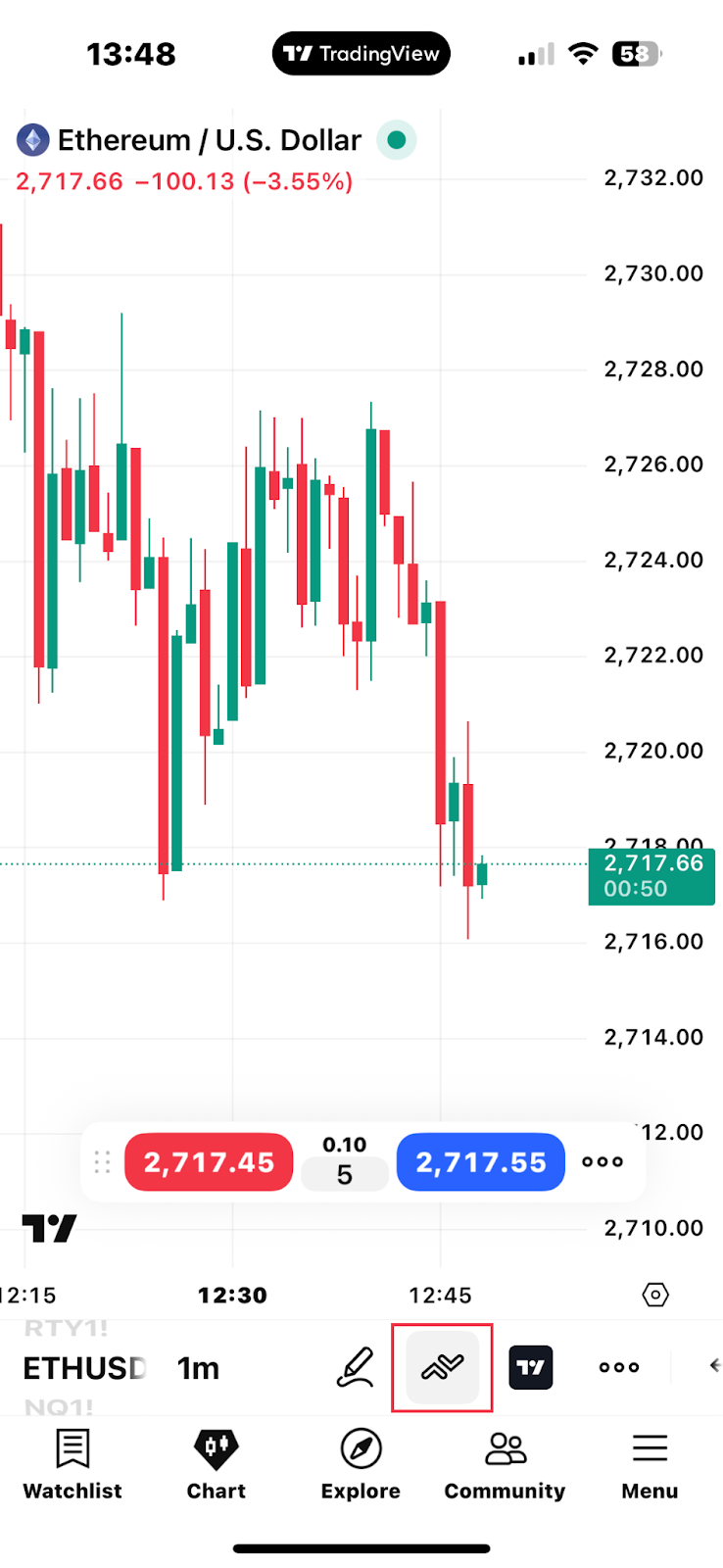
By default, Buy/Sell taps place market orders. You can apply saved Order Presets created in the Order Ticket. Use the three-dot menu in the panel to select a preset.
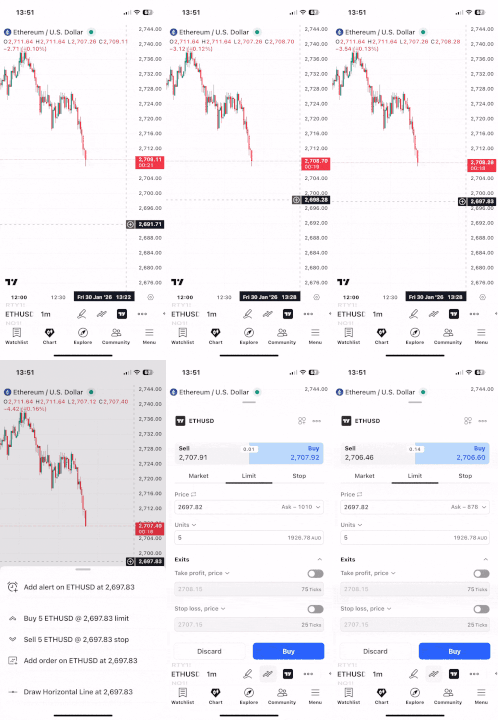
To open the Order Ticket while One-tap trading is enabled:
- Long-press on the chart
- Tap the "+" icon near the price scale
- Select Add order
The selected price level will be automatically inserted into the Order Ticket.
Also read: