Daily Manipulation LevelsDML -
This indicator projects statistically-derived Manipulation and Distribution levels based on historical daily price behavior, helping you anticipate where price is likely to reach during the current trading session.
🔍 How It Works
The DML analyzes the last 60 days (configurable) of daily candles and measures two key distances from each day's open:
For Bullish Days (close > open):
Manipulation Distance: How far price dropped below the open before rallying
Distribution Distance: How far price extended above the open
For Bearish Days (close < open):
Manipulation Distance: How far price spiked above the open before selling off
Distribution Distance: How far price extended below the open
The indicator then calculates the average (mean or median) of these historical distances and projects them from the current session's open (6pm ET for futures).
📊 The Levels
O (Orange): Current session open - your anchor point
+D: Bullish distribution target (projected high)
-D: Bearish distribution target (projected low)
+M: Bearish manipulation zone (where shorts get trapped before a selloff)
-M: Bullish manipulation zone (where longs get trapped before a rally)
📈 How To Use It
1. Identify the Daily Bias
Wait for price to sweep a manipulation level and show signs of reversal. A sweep of -M followed by bullish structure suggests an expansion toward +D. A sweep of +M followed by bearish structure suggests expansion toward -D.
2. Power of Three Framework
The levels align with ICT's Power of Three concept:
Accumulation: Price consolidates near the open
Manipulation: Price sweeps liquidity at +M or -M, trapping traders
Distribution: Price expands toward the opposite extreme (+D or -D)
3. Confluence Zones
Use these levels alongside other concepts like Fair Value Gaps, Order Blocks, and liquidity pools. When a DML level aligns with an FVG or key swing point, the probability of reaction increases significantly.
4. Target Setting
After a manipulation sweep and reversal confirmation (CISD), use the distribution level as your target. The statistical nature of these levels means price reaches them more often than not.
⚙️ Settings
Lookback Periods: Number of historical days to analyze (default: 60)
Calculation Method: Mean, Median, or Both - Median is less affected by outlier days
Calculation Mode: Points (raw price distance) or Percent (normalized by open price)
Level Visibility: Toggle individual levels on/off
Colors & Transparency: Fully customizable appearance
💡 Tips
On volatile days, expect manipulation to exceed the average levels - use them as zones, not exact prices
When "Both" is selected, solid lines show the mean and dashed lines show the median - if they're close together, the projection is more reliable
The levels reset at 6pm ET each day (futures session open)
Works best on intraday timeframes (1m - 1H) for NQ, ES, and other index futures
⚠️ Disclaimer
This indicator is a statistical tool based on historical averages. Past performance does not guarantee future results. Always use proper risk management and confirm signals with price action before entering trades.
Mean

SA VWAP RSI Gamma ExpressSIGNAL ARCHITECT™ — VWAP + RSI + Gamma Express
Reduced Gate | Intraday Structure Engine
Overview
The VWAP + RSI + Gamma Express is a structure-first intraday signal engine designed to identify high-probability reversals and momentum expansions around VWAP, RSI regime shifts, and synthetic gamma-wall behavior.
This tool does not predict price.
It highlights where price is statistically more likely to respond based on participation, positioning, and momentum confirmation.
Core Logic (How It Works)
This study combines three structural layers:
1) VWAP Location
VWAP defines the institutional mean
Signals only trigger when price reclaims or rejects VWAP
Eliminates low-quality mid-range chop
2) RSI Regime Behavior
Reversal Logic
Bullish: VWAP reclaim after RSI has been oversold
Bearish: VWAP rejection after RSI has been overbought
Expansion Logic
Bullish: RSI ≥ 60 while holding above VWAP
Bearish: RSI ≤ 40 while holding below VWAP
Prevents chasing late or exhausted moves
3) Gamma Proxy (Optional Gate)
Uses synthetic strike proximity + volume behavior
Helps detect areas where dealer hedging or pinning behavior may amplify follow-through
Can be toggled ON/OFF depending on market conditions
Signal Types
BULL REV (Bullish Reversal)
VWAP cross upward
Prior RSI oversold
Indicates absorption → directional shift
BULL EXP (Bullish Expansion)
Above VWAP
RSI expansion (≥ 60)
Optional gamma confirmation
Indicates momentum continuation
BEAR REV (Bearish Reversal)
VWAP cross downward
Prior RSI overbought
Indicates distribution → downside response
BEAR EXP (Bearish Expansion)
Below VWAP
RSI deflation (≤ 40)
Optional gamma confirmation
Indicates downside continuation
Bar Coloring (Important)
Green Bars → Bullish structure confirmed
Red Bars → Bearish structure confirmed
Gray Bars → Undefined trading conditions
⚠️ Gray bars mean CAUTION IS ELEVATED
Structure is incomplete
VWAP / RSI / Gamma alignment is missing
Best used for observation, not execution
Gray = wait for confirmation, not force a trade.
Recommended Timeframes
⭐ 5-Minute is the PRIMARY and FAVORITE timeframe
Best balance of signal clarity and execution precision
Ideal for NQ / ES intraday structure
Captures real institutional behavior without micro noise
Secondary Use:
15m → intraday bias confirmation
1H → session-level context
Lower than 5m = execution only (not signal truth)
Best Use Cases
VWAP reclaim / rejection days
Trend days with pullback continuation
Opening range transitions
Post-news stabilization phases
Futures, index ETFs, and highly liquid equities
What This Tool Is NOT
❌ Not a buy/sell command system
❌ Not predictive or future-forecasting
❌ Not designed for low-liquidity assets
This is a structure + confirmation engine, not a signal spam tool.
Risk & Disclaimer
This indicator is provided for educational and analytical purposes only.
It does not constitute financial advice. Trading involves substantial risk, and past performance does not guarantee future results. Always use proper risk management.
Signal Indicator
trianchor.gumroad.com
chatgpt.com
chatgpt.com
chatgpt.com

Signal Architect Stop-HuntStop-Hunt Proxy (Auto-Config) — Signal Architect™
What this script does
The Stop-Hunt Proxy is a market-structure and liquidity observation tool designed to highlight areas where stop-loss liquidity is likely raided and price fails to continue, often revealing absorption or auction failure behavior.
This script does not predict direction.
It does not authorize trades.
It identifies where intent failed, not what price must do next.
Think of it as a liquidity awareness layer, not a signal system.
Core behavior detected
The script combines several structural components:
Prior swing highs / lows
Areas where stop-loss orders often cluster.
ATR-scaled liquidity zones
Zones automatically expand or contract based on volatility.
Wick dominance
Long wicks relative to range suggest failed continuation.
Absorption proxies (BSP / VDP)
Volume-weighted pressure imbalance that may indicate opposition.
VWAP interaction (optional)
Reclaim or failure provides auction context.
When these align, the script highlights a stop-hunt (liquidity harvest) event.
Visual elements
Liquidity Zones (Clouds)
Zones appear above prior highs and below prior lows.
Thickness adapts automatically to current volatility.
These represent areas of potential stop-loss concentration.
Stop-Hunt Arrows
Arrows appear only when multiple filters align, such as:
Liquidity zone is raided
Wick structure shows rejection
Optional absorption behavior is present
Optional VWAP context confirms failure or reclaim
An arrow means:
Liquidity was taken and continuation failed.
It does NOT mean:
A reversal is guaranteed
A trade should be taken
Price must move in a certain direction
Suggested timeframes (IMPORTANT)
This script is most reliable on larger intraday and higher timeframes, where liquidity structure is clearer and noise is reduced.
⭐ Best-performing timeframes
30-minute
1-hour
2-hour
4-hour
Daily (context only)
Acceptable lower timeframes (with caution)
15-minute
5-minute (structure confirmation only)
Lower timeframes may produce more frequent signals, but also more noise and false context. The strength of this tool increases as timeframe increases.
Best use cases
This script is best used for:
Identifying liquidity harvest events
Detecting failed breakouts or breakdowns
Providing context for WAIT vs observe
Confirming auction failure before continuation elsewhere
Complementing:
VWAP / Anchored VWAP
Auction or market-state models
Volatility and participation analysis
It is especially useful during:
Range-to-rotational markets
Post-breakout failures
Areas of obvious prior highs/lows
What this script is NOT designed for
❌ Trade automation
❌ Buy/sell alerts
❌ Scalping systems
❌ Predictive forecasting
❌ Profit modeling
If you are looking for explicit trade instructions, this script is not intended for that purpose.
How to use it correctly
Observe the zone
Did price raid a prior high or low?
Observe the reaction
Did price fail to continue after taking liquidity?
Check the context
VWAP behavior
Volatility regime
Higher-timeframe structure
Assign NO immediate outcome
The correct response is often WAIT.
This tool helps answer:
Where was liquidity taken?
Did price accept or reject after?
Is intent being revealed or denied?
Design philosophy — Signal Architect™
Markets move through liquidity, not opinion.
This script exists to highlight where the market attempted something and failed, which is often more informative than where it succeeded.
Liquidity was taken. Intent was revealed. Outcome remains unassigned.
Final reminder
Educational use only.
Not financial advice.
Trading and investing involve substantial risk, including possible loss of principal.

Signal Architect Stop-Hunt (Auto-Config) 🧠 Signal Architect™
Stop-Hunt Proxy (Auto-Config) — HOW TO USE IT
What this is:
A liquidity-raid + absorption detector that highlights when stops are likely swept and price fails to continue, implying forced positioning + reversal risk.
This is NOT:
a momentum indicator
a breakout tool
a trend follower
It is a reaction-point locator.
1️⃣ WHAT THE STUDY IS ACTUALLY SHOWING
A. Zones (the clouds)
These are where stops cluster:
🔴 Red Zone (Above highs) → short stops likely
🟢 Green Zone (Below lows) → long stops likely
They are built from:
prior swing high / swing low
ATR-scaled thickness
volatility-adaptive sizing
👉 If price never enters a zone, nothing is happening.
B. The Trigger (arrows)
An arrow only prints when ALL of this occurs:
Price raids stops
wicks into a stop zone
Fails to continue
wick dominance ≥ threshold
Absorption occurs
volume shows opposition (BSP vs VDP)
VWAP context holds
reclaim (bull) or failure (bear)
This is liquidity taken — not continuation.
2️⃣ WHEN THIS STUDY IS VALID (VERY IMPORTANT)
✅ BEST CONDITIONS
Use this only when:
Market is range-to-rotational
VWAP is active and respected
ATR is expanding or elevated
Prior highs/lows are obvious
This is excellent for:
/NQ, /ES, /RTY
QQQ, SPY
Large-cap equities
❌ DO NOT USE WHEN
Strong trend day
VWAP is irrelevant
News-driven vertical expansion
Low-volume chop
If you ignore this, it will intentionally NOT perform.
3️⃣ HOW TO EXECUTE A SIGNAL (STRUCTURAL LOGIC)
This is not “buy/sell” — this is position framing.
🟢 Bullish Stop-Hunt Arrow (below price)
Meaning
Long stops were raided → sellers absorbed → price failed lower.
Correct response
Expect mean reversion
Expect VWAP / value re-test
Expect range repair
DO NOT
Chase the arrow
Assume trend reversal
Ignore higher-TF bias
🔴 Bearish Stop-Hunt Arrow (above price)
Meaning
Short stops were raided → buyers absorbed → price failed higher.
Correct response
Expect pullback
Expect VWAP fade
Expect range rotation
4️⃣ TIMEFRAME USAGE (THIS MATTERS)
Chart TF Use Case
1–3m Entry refinement only
5–15m ⭐ PRIMARY
30m Range structure
1H Bias only
This study is NOT designed for:
Daily charts
Very low-liquidity names
5️⃣ HOW IT FITS INTO YOUR SYSTEM (KEY)
This study should NEVER stand alone.
Best pairings:
VWAP / Anchored VWAP
Your Auction / Trap studies
Gamma / Charm context
Range / balance logic
Think of it as:
“The market tried to go somewhere… and failed.”
That’s information — not a trade.
6️⃣ INPUT TUNING (PRACTICAL)
Default (balanced)
swingLookback: 20
wickRatio: 0.60
autoZoneScale: ON
useVWAPfilter: ON
useAbsorption: ON
More aggressive (scalp)
wickRatio: 0.50
confirmWithinBars: 1
More selective (swing)
wickRatio: 0.65–0.70
confirmWithinBars: 0
7️⃣ WHAT THIS STUDY MAKES YOU AWARE OF
This tool teaches you to see:
where liquidity was taken
where institutions opposed
where retail is trapped
where price is vulnerable
That awareness is the edge.
✅ 1) WHY YOU MIGHT NOT SEE ARROWS FIRING
There are a few reasons this can happen:
🔹 A) SIGNAL LOGIC IS TOO STRICT
This indicator only prints arrows when all of these conditions are met:
A stop zone is raided (wick touches the zone)
Wick shape passes the ratio filter
VWAP requirement passes (if enabled)
Absorption tell passes (if enabled)
Optional confirm within N bars logic passes
If your market / timeframe never satisfies all, arrows won’t show.
🔹 B) INPUTS MAY BE TOO SELECTIVE
Defaults are conservative:
wickRatio = 0.60
confirmWithinBars = 0
Try these relaxed settings:
wickRatio -> 0.50
useVWAPfilter -> false
useAbsorptionOK -> false
confirmWithinBars -> 1
That means:
👉 Loose filter → more possible arrow prints
🔹 C) ZONE DEFINITIONS MAY BE OFF FOR YOUR TF OR MARKET
Zones are drawn off the last 20-bar swing. If your chart isn’t finding sharp swings, raids may be rare.
Try:
swingLookback -> 10
🔹 D) VISUAL SETTINGS BLOCK THEM
If showArrows = false or labels are overlapping, arrows may not draw clearly.
Set:
showArrows -> true
👉 QUICK TEST MODE
Apply these settings on a live chart (like /ES 5m):
swingLookback = 10
wickRatio = 0.50
useVWAPfilter = false
useAbsorptionOK = false
confirmWithinBars = 1
Then scroll a few bars back and reload.
If arrows still don’t show, tell me:
📌 which ticker
📌 which timeframe
📌 a sample date/time range
chatgpt.com

EMA Extension + Reversion StatisticsEMA Extension + Reversion Statistics
Description
This indicator is a statistical mean-reversion tool designed to quantify how far price has extended from its baseline trend (the Mean EMA) and calculate the historical probability of a reversion event.
Unlike standard oscillators that use arbitrary fixed numbers (like RSI > 70), this script uses a historical rolling window (default 10 years) of daily data to determine exactly what constitutes a "High" or "Extreme" deviation for the specific asset you are charting.
It answers two critical questions:
Is the price statistically overextended? (Are we in the top 2% of historical deviations?)
If I fade this move, what is the historical win rate? (e.g., "When price is this extended, it touches the 9 EMA within 5 days 82% of the time.")
Key Features
Dynamic Volatility Bands: Plots "High" (default 80th percentile) and "Extreme" (default 98th percentile) extension bands based on historical daily closes.
Real-Time Win Rates: An on-screen dashboard displays the historical success rate of three different mean-reversion strategies whenever price hits these bands.
Time-Independent Logic: The statistics are calculated on the Daily timeframe regardless of the chart you are viewing. This allows you to scalp on lower timeframes (like the 5m or 15m) while seeing the statistical pressure from the Daily chart.
Rolling Lookback: Uses an array-based memory system to calculate percentiles over a user-defined lookback period.
The 3 Reversion Strategies
The dashboard calculates the "Win Rate" for three specific scenarios. Note specifically which ones require a Close versus just a Touch:
Touch EMA (9):
Goal: Price must TOUCH the Target EMA (default 9 EMA) at any point during the day. Wicks count.
Constraint: Must happen within the defined "Max Days" (default 5).
Close Inside Band:
Goal: Price must CLOSE back inside the deviation band. A wick inside is not enough; the candle body must confirm the move.
Constraint: Must happen within the defined "Max Days" (default 2).
Touch Mean (20):
Goal: Price must TOUCH the Baseline Band EMA (default 20 EMA) at any point during the day.
Constraint: Must happen within the defined "Max Days" (default 10).
Fully Customizable Settings
This script is designed to be flexible for different trading styles, asset classes, and timeframes. You can adjust the statistical model to fit your specific needs by clicking the Settings (Gear Icon) on the indicator and navigating to the Inputs tab.
What You Can Customize:
Lookback Period (Years):
Default: 10 Years.
You can increase this for a more robust long-term model or decrease it for assets with less history (like newer crypto pairs).
Moving Averages (EMAs):
Change the Band EMA (Default: 20) if you prefer a slower baseline like the 50 EMA.
Change the Target EMA (Default: 9) if you scalp to a faster average like the 5 or 8 EMA.
Time Constraints (Max Days):
Define your own "Time Stop." If you believe a reversion trade isn't valid if it takes longer than 3 days, simply change the Max Days input from 5 to 3. The win rates will instantly update to reflect this stricter rule.
Dashboard Visibility:
Show Dashboard: Toggle the table on or off.
Table Position: Move the table to any corner of the chart (Top Right, Bottom Left, etc.) to fit your workspace.
Strategy Mode: Switch between viewing "Show All 3" strategies at once or focusing on a single strategy to keep your chart clean.
Visual Guide
Red Stepline: The "Extreme" deviation band. Historically, price rarely stays here long.
Orange Stepline: The "High" deviation band. Standard overbought/oversold zone.
Dashboard Colors:
Red Text: Stats relative to the Extreme Band.
Orange Text: Stats relative to the High Band.
Dashboard Data:
Dev: Shows the current deviation of price from the EMA in percent.
Columns: The percentages shown (e.g., "85%") represent the historical Win Rate of that strategy triggering from that specific band.
Disclaimer
This indicator is for educational and informational purposes only and does not constitute financial advice. The "Win Rates" displayed are based on historical data and do not guarantee future performance. Trading futures, options, and securities involves significant risk and is not suitable for every investor. You may lose more than your initial investment. Always trade with a risk management plan.

Rumiancev Reaction ZonesRumiancev Reaction Zones
Rumiancev Reaction Zones (RRZ) is a clean, non-signal overlay that highlights potential reaction areas — places where price often slows down, bounces, or becomes stretched relative to the current market range.
RRZ is NOT a trading bot. It does not provide guaranteed entries/exits. Use it as a context tool alongside your own confirmation (structure, trend bias, momentum/volume, etc.).
────────────────────────────────────────
WHAT IS DRAWN ON THE CHART
────────────────────────────────────────
🔵 Blue Zone • Buy Area (Filled Band)
A lower reaction band (“discount / downside stretch”).
• Upper edge: Blue Zone • Buy Area (blue line)
• Lower edge: Blue Zone • Lower Band (hidden band edge)
When price enters this band, reactions become more likely (bounces, stabilization, reclaim moves).
🟠 Orange Zone • Sell Area (Filled Band)
An upper reaction band (“stretch / upside extension”).
• Lower edge: Orange Zone • Sell Area (orange line)
• Upper edge: Orange Zone • Upper Band (hidden band edge)
When price reaches this band, pauses, pullbacks, or distribution can appear.
⚪ Guide Line (Gray)
A neutral reference line inside the structure. Helps to judge whether price is closer to “discount” (Blue side) or “stretch” (Orange side).
🟢 Deep Line (Green) — Aggressive Context (NOT a zone)
A deeper downside reference line (green), not a filled band.
If price reaches it, conditions are typically more volatile and risk is higher. Treat it as a high-risk context line, not an automatic entry.
🔴 Orange Extreme (Red) — High Extension (NOT a zone)
A high-extension reference line above the Orange Zone. Often used as a strong risk-reduction context after extended upside moves.
────────────────────────────────────────
HOW TO USE RRZ (PRACTICAL FRAMEWORK)
────────────────────────────────────────
1) Blue Zone approach (potential entries)
• When price enters the Blue Zone , wait for confirmation first (rejection wick, reclaim back above the zone edge, local structure holding).
• Consider scaling in gradually rather than entering full size at once.
• If price continues deeper toward the green Deep Line , treat it as higher risk and act only if your plan and risk limits allow it.
2) Orange Zone approach (potential exits)
• When price reaches the Orange Zone , many traders consider partial risk reduction (scale out, protect profit, tighten stops).
• Near the red Orange Extreme line, many traders consider stronger risk reduction (up to closing most/all), especially after impulsive runs.
IMPORTANT: RRZ marks areas , not entries. Always define invalidation (stop/idea failure point) and position size before acting.
────────────────────────────────────────
CONFIRMATION IDEAS (SIMPLE)
────────────────────────────────────────
• Rejection wicks / reclaim back above a zone edge
• Break & retest of local structure
• Momentum/volume shift you personally trust
• Alignment with higher-timeframe direction
────────────────────────────────────────
SETTINGS
────────────────────────────────────────
• Depth → sensitivity (lower = more reactive, higher = steadier)
• Smoothness → adaptation speed (lower = faster, higher = smoother)
• Zone Width → thickness of the Blue/Orange fills (visual width)
────────────────────────────────────────
EXAMPLES (CHART IMAGES)
────────────────────────────────────────
Example 1 — Orange Zone reaction (Daily)
Price pushes into the Orange Zone (stretch area), then cools off and rotates lower. RRZ helps visualize this as a place to watch for rejection or profit-taking context.
Example 2 — Repeated cycles (Daily)
Multiple cycles where touches into the Orange Zone often coincide with pauses/pullbacks, while dips into the Blue Zone tend to act as reaction areas during corrections.
Example 3 — Blue Zone reaction after a sell-off (4H)
A sharp move pushes price into the Blue Zone , followed by stabilization and reaction. The Orange Zone remains overhead as the next upside stretch region to monitor.
────────────────────────────────────────
NOTES
────────────────────────────────────────
• Zones are dynamic and update as new market data forms.
• No future-looking data (“lookahead”) is used.
────────────────────────────────────────
DISCLAIMER
────────────────────────────────────────
This script is for educational and informational purposes only and is not financial advice. Trading involves risk. No indicator can guarantee results.

Volumetrix Mean Reversion [by Oberlunar] VolumeTRIX Mean Reversion is a volume-oriented mean-reversion and confirmation indicator built around one core principle: reversal opportunities become higher quality when “price stretch” is not just visible on one feed, but confirmed across venues and supported by internal market pressure.
Mean reversion is often explained with the “rubber band” metaphor, but in real trading, it’s more concrete than that. When price runs too far from a working equilibrium, the market tends to accumulate imbalances: liquidity gets thin in spots, inventories get skewed, and positioning becomes one-sided. Very often, the next meaningful move is not continuation, but a repair move—price coming back toward areas where business was actually done. That doesn’t mean the market must revert every time. It means that when displacement becomes extreme, reversion becomes *plausible*, and sometimes structurally incentivised.
This is why Volumetrix does not treat a single overbought/oversold trigger as a trade. It treats mean reversion as a multi-factor event that needs alignment.
The first pillar is multi-venue consensus. The script can track the same instrument across up to five brokers/exchanges and look for agreement. In crypto and CFDs, a large portion of “signals” are simply microstructure artefacts: isolated wicks, temporary dislocations, exchange-specific liquidity holes, short-lived imbalances.
I believe that a stretch that shows up on one venue may be noise; a stretch that shows up across venues at the same time is far more likely to be structural.
The second pillar is how the indicator defines “stretch.” Volumetrix intentionally blends different families of mean-reversion logic because each one captures a different way markets deviate from equilibrium. Statistical displacement (think Z-score) asks how far the price has moved away from its recent average in volatility units. Anchored equilibrium (VWAP) asks whether the price is trading away from a fair value built on *where volume actually traded*.
Volatility envelopes (Keltner-style bands) translate stretch into something regime-aware: what is “far” in a quiet market is not “far” in a fast one. None of these views is perfect alone, but together they describe displacement in a much more robust way than a single oscillator.
Then comes the part most traders miss: mean reversion is not just a distance problem, it’s a *regime* problem. That is where the Ornstein–Uhlenbeck idea matters. OU is the textbook mean-reverting process: deviations don’t just wander, they tend to be pulled back toward an equilibrium, and the strength of that pull defines how “elastic” the market feels. In trading terms, some environments punish deviations quickly; other environments reward drift and make reversals late and painful.
VolumeTRIX Mean Reversion uses an OU-style bias to estimate that temperament, so the script is not only asking “are we stretched?”, but also “does this market currently behave like it wants to revert, or like it’s comfortable drifting?”
From there, Volumetrix combines four perspectives (the “lanes”) into a single directional decision. The mean-reversion trust lane quantifies stretch and converts it into a normalised confidence. The OU lane adds the regime lens—how mean-reverting the market appears right now. TRIX adds momentum context because fading a move while momentum is still expanding is one of the fastest ways to get chopped up. Finally, the volumetric pressure gate looks at internal buy/sell pressure and asks a practical question: is the move still being *defended*, or is dominance starting to fade?
The real edge is not in any one component. The edge is in how they are forced to agree. Volumetrix allows you to determine the level of strictness in the agreement (All / Majority / Any). That’s an ensemble approach: each lane can be wrong, but they tend to be mistaken in different conditions. When multiple independent views of the market line up, you’re filtering for moments where the signal is less likely to be random and more likely to reflect an actual imbalance that can unwind.
So the question I'm trying to answer with this indicator is simple, and trader-practical: “Are we stretched across venues, is the current regime compatible with reversion (OU-style), is momentum no longer dominating (TRIX), and is volume pressure no longer supporting continuation?” When those answers align, the odds of a usable reversal improve.
Operationally, signals print only on confirmed bars and are hard-constrained to the most liquid global sessions (London and US), because mean-reversion quality tends to degrade in thin windows and produce low-quality signals.
The indicator also includes an internal forward-stat tracker that estimates how often signals reach a reasonable target move within a maximum number of bars. It is not a strategy backtest, and it doesn’t simulate compounding; it’s a calibration tool to compare settings and understand expectancy behaviour without guessing.
As always, this is an indicator, not financial advice. Mean reversion can fail hard in expansion regimes, so risk management and context always come first.
Enjoy!
Oberlunar 👁★

Mizan Golden Ratioescription:
The Mizan Golden Ratio (MGR) is a specialized quantitative oscillator designed to identify high-probability market reversals by filtering out noise and focusing on "True Market Sentiment."
Unlike traditional indicators that react to every price tick, the MGR engine uses a weighted hybrid formula that combines Momentum Velocity (derived from CCI) and Structural Equilibrium (derived from RSI). This data is processed through a unique normalization algorithm and a smoothing filter to eliminate false signals caused by market panic or euphoria.
Key Features:
Hybrid Engine: 86% RSI Dominance for structural integrity + 14% CCI influence for momentum sensitivity.
Golden Ratio Tuning: The indicator is pre-tuned with specific weights and thresholds (32.98 / 67.92) that have been mathematically back-tested to find optimal reversal points.
Noise Cancellation: A 5-bar smoothing filter removes "sawtooth" price action, delivering clean and readable curves.
Dual Visualization: Displays the oscillator in the bottom pane while projecting dynamic Support/Resistance bands directly onto the price chart.
How to Use:
LONG Signal (Blue Triangle): Generated when the Sentiment Score recovers from the "Oversold Zone" (crossing above 32.98). This indicates a potential bottom formation.
SHORT Signal (Red Triangle): Generated when the Sentiment Score falls from the "Overbought Zone" (crossing below 67.92). This indicates a potential local top.
Philosophy: MGR does not predict price; it measures the ontological state of the market—determining whether the current price action is sustainable or overextended.
No complex setup required. The algorithm is pre-configured for optimal performance.
Disclaimer: This tool is for analytical purposes only and does not constitute financial advice. Past performance of the algorithm does not guarantee future results

MA Distance Percentile - HighQ ToolsHighQTools — MA Distance Percentile (MADP)
As always, if anyone has any tips or additional features they'd like to see, feel free to reach out!
MA Distance Percentile (MADP) measures how far price is from its moving average relative to its own recent history.
Instead of showing raw distance (which varies by symbol, volatility, and timeframe), MADP normalizes price-to-MA distance into a 0–100 percentile rank over a rolling lookback window. This allows traders to quickly identify when price is relatively extended or compressed compared to recent conditions.
🔍 How It Works
A moving average is calculated (EMA by default, configurable).
The ratio of price / MA is computed.
That ratio is percentile-ranked over a user-defined lookback window.
The result is optionally smoothed for clarity.
High values (e.g., 80–100): Price is more extended above its MA than it has been recently.
Low values (e.g., 0–20): Price is relatively compressed or discounted vs its MA.
🧭 How to Use It
MADP is best used as a context tool, not a standalone signal:
Identify mean-reversion potential at relative extremes
Distinguish trend continuation vs exhaustion
Filter entries taken near highs/lows vs those taken in compression
Combine with structure, volume, delta, or VWAP-based tools
Optional visual levels (20 / 50 / 80) are provided for quick reference. Simple signals are included but disabled by default to encourage discretionary use.
⚙️ Defaults & Notes
Default MA: 20-period EMA
Default lookback: 200 bars
Designed for intraday and swing analysis
Does not repaint
Percentile-based normalization makes it robust across symbols and timeframes
This indicator is part of the HighQTools framework: clean, transparent tools designed to provide context first, not overfitted signals.

LuxyEnergyIndexThe Luxy Energy Index (LEI) library provides functions to measure price movement exhaustion by analyzing three dimensions: Extension (distance from fair value), Velocity (speed of movement), and Volume (confirmation level).
LEI answers a different question than traditional momentum indicators: instead of "how far has price gone?" (like RSI), LEI asks "how tired is this move?"
This library allows Pine Script developers to integrate LEI calculations into their own indicators and strategies.
How to Import
//@version=6
indicator("My Indicator")
import OrenLuxy/LuxyEnergyIndex/1 as LEI
Main Functions
`lei(src)` → float
Returns the LEI value on a 0-100 scale.
src (optional): Price source, default is `close`
Returns : LEI value (0-100) or `na` if insufficient data (first 50 bars)
leiValue = LEI.lei()
leiValue = LEI.lei(hlc3) // custom source
`leiDetailed(src)` → tuple
Returns LEI with all component values for detailed analysis.
= LEI.leiDetailed()
Returns:
`lei` - Final LEI value (0-100)
`extension` - Distance from VWAP in ATR units
`velocity` - 5-bar price change in ATR units
`volumeZ` - Volume Z-Score
`volumeModifier` - Applied modifier (1.0 = neutral)
`vwap` - VWAP value used
Component Functions
| Function | Description | Returns |
|-----------------------------------|---------------------------------|---------------|
| `calcExtension(src, vwap)` | Distance from VWAP / ATR | float |
| `calcVelocity(src)` | 5-bar price change / ATR | float |
| `calcVolumeZ()` | Volume Z-Score | float |
| `calcVolumeModifier(volZ)` | Volume modifier | float (≥1.0) |
| `getVWAP()` | Auto-detects asset type | float |
Signal Functions
| Function | Description | Returns |
|---------------------------------------------|----------------------------------|-----------|
| `isExhausted(lei, threshold)` | LEI ≥ threshold (default 70) | bool |
| `isSafe(lei, threshold)` | LEI ≤ threshold (default 30) | bool |
| `crossedExhaustion(lei, threshold)` | Crossed into exhaustion | bool |
| `crossedSafe(lei, threshold)` | Crossed into safe zone | bool |
Utility Functions
| Function | Description | Returns |
|----------------------------|-------------------------|-----------|
| `getZone(lei)` | Zone name | string |
| `getColor(lei)` | Recommended color | color |
| `hasEnoughHistory()` | Data check | bool |
| `minBarsRequired()` | Required bars | int (50) |
| `version()` | Library version | string |
Interpretation Guide
| LEI Range | Zone | Meaning |
|-------------|--------------|--------------------------------------------------|
| 0-30 | Safe | Low exhaustion, move may continue |
| 30-50 | Caution | Moderate exhaustion |
| 50-70 | Warning | Elevated exhaustion |
| 70-100 | Exhaustion | High exhaustion, increased reversal risk |
Example: Basic Usage
//@version=6
indicator("LEI Example", overlay=false)
import OrenLuxy/LuxyEnergyIndex/1 as LEI
// Get LEI value
leiValue = LEI.lei()
// Plot with dynamic color
plot(leiValue, "LEI", LEI.getColor(leiValue), 2)
// Reference lines
hline(70, "High", color.red)
hline(30, "Low", color.green)
// Alert on exhaustion
if LEI.crossedExhaustion(leiValue) and barstate.isconfirmed
alert("LEI crossed into exhaustion zone")
Technical Details
Fixed Parameters (by design):
Velocity Period: 5 bars
Volume Period: 20 bars
Z-Score Period: 50 bars
ATR Period: 14
Extension/Velocity Weights: 50/50
Asset Support:
Stocks/Forex: Uses Session VWAP (daily reset)
Crypto: Uses Rolling VWAP (50-bar window) - auto-detected
Edge Cases:
Returns `na` until 50 bars of history
Zero volume: Volume modifier defaults to 1.0 (neutral)
Credits and Acknowledgments
This library builds upon established technical analysis concepts:
VWAP - Industry standard volume-weighted price measure
ATR by J. Welles Wilder Jr. (1978) - Volatility normalization
Z-Score - Statistical normalization method
Volume analysis principles from Volume Spread Analysis (VSA) methodology
Disclaimer
This library is provided for **educational and informational purposes only**. It does not constitute financial advice. Past performance does not guarantee future results. The exhaustion readings are probabilistic indicators, not guarantees of price reversal. Always conduct your own research and use proper risk management when trading.

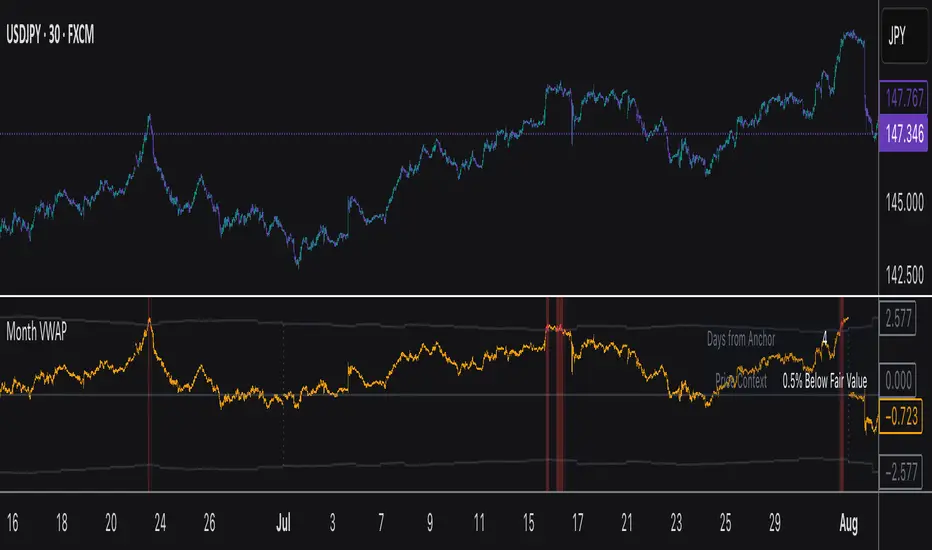
Luxy VWAP Magic - MTF Projection EngineThis indicator transforms the classic VWAP into a comprehensive trading system. Instead of switching between multiple indicators, you get everything in one place: multi-timeframe analysis, statistical bands, momentum detection, volume profiling, session tracking, and divergence signals.
What Makes This Different
Traditional VWAP indicators show a single line. This tool treats VWAP as a foundation for complete market analysis. The indicator automatically detects your asset type (stocks, crypto, forex, futures) and adjusts its behavior accordingly. Crypto traders get 24/7 session tracking. Stock traders get proper market hours handling. Everyone gets institutional-grade analytics.
Anchor Period Options
The anchor period determines when VWAP resets and recalculates. You have three categories of options:
Time-Based Anchors:
Session - Resets at market open. Best for intraday stock trading where you want fresh VWAP each day.
Day - Resets at midnight UTC. Standard option for most traders.
Week / Month / Quarter / Year - Longer reset periods for swing traders and position traders who want broader context.
Rolling Window Anchors:
Rolling 5D - A sliding 5-day window that never resets. Solves the Monday problem where weekly VWAP equals daily VWAP on first day of week.
Rolling 21D - Approximately one month of trading data in continuous calculation. Excellent for crypto and forex markets that trade 24/7 without clear session breaks.
Event-Based Anchors:
Dividends - Resets on ex-dividend dates. Track institutional cost basis from dividend events.
Splits - Resets on stock split dates. Useful for analyzing post-split trading behavior.
Earnings - Resets on earnings report dates. See where volume-weighted trading occurred since last quarterly report.
Standard Deviation Bands
Three sets of bands surround the main VWAP line:
Band 1 (Aqua) - Plus and minus one standard deviation. Approximately 68% of price action occurs within this range under normal distribution. Touches suggest minor extension.
Band 2 (Fuchsia) - Plus and minus two standard deviations. Only 5% of trading should occur outside this range statistically. Touches here indicate significant overextension and high probability of mean reversion.
Band 3 (Purple) - Plus and minus three standard deviations. Touches are rare (0.3% probability) and represent extreme conditions. Often marks climax moves or panic selling/buying.
Each band can be toggled independently. Most traders show Band 1 by default and add Band 2 and 3 for specific setups or volatile instruments.
Multi-Timeframe VWAP System
The MTF section plots previous period VWAPs as horizontal support and resistance levels:
Daily VWAP - Previous day's final VWAP value. Key intraday reference level.
Weekly VWAP - Previous week's final VWAP. Important for swing traders.
Monthly VWAP - Previous month's final VWAP. Institutional benchmark level.
Quarterly VWAP - Previous quarter's final VWAP. Major support/resistance for position traders.
Previous Day VWAP - Yesterday's closing VWAP specifically, separate from current daily calculation.
The Confluence Zone percentage setting determines how close multiple VWAPs must be to trigger a confluence alert. When two or more timeframe VWAPs converge within this threshold, you get a high-probability support/resistance zone.
Session VWAPs for Global Markets
For forex, crypto, and futures traders who operate in 24/7 markets, the indicator tracks three major global sessions:
Asia Session - UTC 21:00 to 08:00. Gold colored line. Typically lower volatility, range-bound action that sets overnight levels.
London Session - UTC 08:00 to 17:00. Orange colored line. Often determines daily direction with high volume European participation.
New York Session - UTC 13:00 to 22:00. Blue colored line. Highest volume session globally. Sharp directional moves common.
Previous session VWAP values display as horizontal lines when each session closes, acting as intraday support and resistance. The table shows which sessions are currently active with checkmarks.
On-Chart Labels and Signals
The indicator plots several types of labels directly on price action when significant events occur:
Volume Spike Labels
Fire when current bar volume exceeds configurable thresholds relative to both the previous bar and the 20-bar average. Default settings require 300% of previous bar AND 200% of average volume. Green labels indicate bullish candles. Red labels indicate bearish candles. These spikes often mark institutional entry points.
Momentum Shift Labels
Appear when VWAP acceleration changes direction. The Slowing label warns when an active trend loses steam, often preceding reversal. The Accelerating label confirms trend continuation or potential bottom during downtrends. Filters available to show only reversal signals in existing trends.
VWAP Squeeze Labels
Detect when standard deviation bands contract relative to ATR (Average True Range). Low volatility compression often precedes explosive breakout moves. When the squeeze fires (releases), a label appears with directional prediction based on VWAP slope.
Divergence Labels
Mark price/volume divergences using CVD (Cumulative Volume Delta) analysis:
Bullish divergence: Price makes lower low, but CVD makes higher low. Hidden accumulation despite price weakness.
Bearish divergence: Price makes higher high, but CVD makes lower high. Hidden distribution despite price strength.
Dynamic VWAP Coloring
The main VWAP line changes color based on its slope direction:
Green - VWAP is rising. Institutional buying pressure. Volume-weighted price increasing.
Red - VWAP is falling. Institutional selling pressure. Volume-weighted price decreasing.
Gray - VWAP is flat. Consolidation or balance between buyers and sellers.
This coloring can be disabled for a static blue line if you prefer cleaner visuals. The VWAP label next to the line shows the current trend direction and delta percentage.
Calculated Projection Cone
One of the most powerful features is the Calculated Projection Cone. Unlike traditional extrapolation methods that simply extend a trend line forward, this system analyzes what actually happened in similar market conditions throughout the chart's history.
How It Works:
The system classifies each bar into one of 27 unique market states:
Z-Score Level - LOW (oversold), MID (fair value), or HIGH (overbought) based on configurable thresholds
Trend Direction - DOWN, FLAT, or UP based on VWAP slope
Volume Profile - LOW (below 80%), NORMAL (80-150%), or HIGH (above 150%) relative volume
When you look at the current bar, the indicator:
1. Identifies the current market state (e.g., LOW Z-Score + UP Trend + HIGH Volume)
2. Searches through all historical bars on the chart that had the same state
3. Calculates what happened in those bars X bars later (where X is your projection horizon)
4. Shows you the probability of up/down and the average move size
Visual Elements:
Probability Cone - Colored green (bullish probability above 55%), red (bearish below 45%), or gold (neutral). The cone width represents the historical range of outcomes (roughly the 20th to 80th percentile).
Center Line - Shows the average expected price based on historical outcomes in similar conditions.
Probability Label - Displays direction probability and average move. Example: "67% UP (+0.8%)" means 67% of similar past cases moved up, averaging 0.8% gain.
Fallback System:
When the exact 27-state match has insufficient historical data:
First fallback: Uses Z-Score plus Trend only (9 broader states, ignoring volume)
Second fallback: Uses Z-Score only (3 states)
When fallback is active, confidence automatically adjusts
Settings:
Projection Horizon - How many bars forward to analyze outcomes (5, 10, 15, or 20 bars, default 10)
Lookback Period - Historical data window in days (30-252, default 60)
Minimum Samples - Cases needed before using fallback (5-30, default 10)
Z-Score Threshold - Bucket boundary for LOW/MID/HIGH classification (1.0, 1.5, or 2.0 sigma)
Cloud Transparency - Adjust visibility (50-95%)
Colors - Customize bullish, bearish, and neutral cone colors
Confidence Levels:
HIGH - 30 or more similar historical cases found
MEDIUM - 15-29 similar cases
LOW - Fewer than 15 cases (more uncertainty)
IMPORTANT DISCLAIMER:
The Calculated Projection is based on past patterns only. It is NOT a price prediction or financial advice. Similar market states in the past do not guarantee similar outcomes in the future. The probability shown is historical frequency, not a guarantee. Always combine with other analysis and never rely solely on projections for trading decisions.
Alert Conditions
The indicator includes over 20 pre-built alert conditions:
Price vs VWAP:
Price crosses above VWAP
Price crosses below VWAP
Band Touches:
Price touches plus or minus one sigma band
Price touches plus or minus two sigma band (extreme)
Price touches plus or minus three sigma band (very extreme)
Z-Score Extremes:
Z-Score crosses above plus two (overbought extreme)
Z-Score crosses below minus two (oversold extreme)
Momentum and Trend:
Momentum slowing
Momentum accelerating
Trend turns bullish/bearish/neutral
Volume:
Volume spike detected
CVD Direction:
Buyers take control
Sellers take control
High Probability Signals:
Bullish reversal signal (oversold plus accelerating momentum)
Bearish reversal signal (overbought plus slowing momentum)
MTF and Special:
MTF confluence zone entry
VWAP squeeze fired
Bullish/Bearish divergence detected
Any significant signal (catch-all)
All signals use confirmed bar data to prevent false alerts from incomplete candles.
Settings Overview
Settings are organized into logical groups:
VWAP Settings
Anchor Period selection
Show/Hide VWAP line
Dynamic coloring toggle
VWAP label visibility
Bands Visibility
Toggle each of three bands independently
Info Table
Show/Hide table
Table position (9 options)
Text size
Volume spike label settings with adjustable thresholds
Momentum label settings with filters
Signal labels limited to 5 most recent (auto-managed)
Probability engine lookback period
Multi-Timeframe VWAP
Enable/Disable MTF system
Show MTF in table
Show MTF lines on chart
Individual timeframe toggles
Confluence zone threshold
Squeeze detection toggle
Session VWAPs
Enable/Disable session tracking
Apply to all assets option
Show session labels
Divergence Detection
Enable/Disable divergence
Pivot lookback period
Show divergence labels
Calculated Projection
Enable/Disable projection cone
Projection horizon (5, 10, 15, or 20 bars)
Lookback period in days (30-252)
Minimum samples threshold
Z-Score classification threshold (1.0, 1.5, or 2.0 sigma)
Cloud transparency adjustment
Bullish, bearish, and neutral colors
The Info Table - Your Trading Dashboard
The right side of your chart displays a compact table with up to twelve metrics.
Row-by-Row Breakdown:
Asset and Period - Shows what the indicator detected (US Stock, Crypto, Forex, etc.) and your selected anchor period. The detection happens automatically based on exchange data, so VWAP resets and calculations match your actual trading instrument.
Delta Percentage - How far current price sits from VWAP, expressed as a percentage. Positive means price trades above fair value. Negative means below. Large delta values (beyond 1-2%) often precede mean reversion moves. Day traders watch this for overextension.
Z-Score - Statistical deviation from VWAP measured in standard deviations. Unlike raw delta, Z-Score accounts for volatility. A 2% move in a volatile biotech stock differs from 2% in a stable utility. Z-Score normalizes this. Values beyond plus or minus two sigma occur only 5% of the time statistically.
Trend Direction - Whether VWAP itself is rising, falling, or flat. Rising VWAP means the volume-weighted average price is increasing, which indicates institutional accumulation. Falling VWAP suggests distribution. This differs from price trend since it weights by volume.
Momentum State - Is the trend accelerating or slowing down? This measures the rate of change in VWAP slope. When an uptrend shows slowing momentum, it often precedes reversal. Accelerating momentum in a downtrend can signal capitulation and potential bottom.
Relative Volume - Current bar volume compared to the 20-bar average, shown as percentage. Values above 150% indicate above-average activity. Spikes above 200-300% often mark institutional involvement. Low volume (below 80%) warns of potential fake moves.
MTF Bias - Four checkmarks or X marks showing whether price sits above or below Daily, Weekly, Monthly, and Quarterly VWAP. Four checkmarks means strong bullish alignment across all timeframes. Four X marks indicates bearish alignment. Mixed readings suggest consolidation or transition.
Band Probabilities - Historical statistics showing how often price touched each standard deviation band over your lookback period. This helps you understand if mean reversion or trend following works better for your specific instrument.
Session Status - Which global trading sessions are currently active (Asia, London, New York). Shows checkmarks for active sessions. Important for forex and crypto traders who need to know when major liquidity windows open and close.
Divergence State - Whether the indicator detects bullish or bearish divergence between price and cumulative volume delta. Bullish divergence occurs when price makes lower lows but buying pressure (CVD) makes higher lows, suggesting hidden accumulation.
Confidence Score - A weighted composite of all factors displayed as a progress bar and percentage. Combines MTF alignment, Z-Score, trend direction, volume delta, momentum, and relative volume into a single 0-100 score. Higher scores indicate stronger conviction setups.
Calculated Projection - When the Projection Cone is enabled, shows the historical probability of price direction and expected move. For example: "▲ 67% (+0.8%)" means in similar market states historically, price moved up 67% of the time with an average gain of 0.8%. The system analyzes 27 unique market states based on Z-Score, Trend, and Volume conditions.
Recommended Use Cases
Day Trading Stocks:
Use Session anchor with Band 1 visible. Watch for price returning to VWAP after morning move. Volume spikes near VWAP often mark institutional accumulation zones.
Swing Trading:
Use Weekly or Rolling 21D anchor. Enable MTF lines for Daily and Weekly levels. Trade pullbacks to these levels in direction of MTF bias.
Crypto and Forex:
Enable Session VWAPs. Use Rolling anchors to avoid artificial resets. Monitor session transitions for breakout opportunities.
Mean Reversion:
Focus on Z-Score reaching plus or minus two. Add Band 2 visibility. Combine with slowing momentum for highest probability reversals.
Trend Following:
Watch MTF bias alignment. Four checkmarks plus accelerating momentum plus high volume confirms trend continuation setups.
Projection Planning:
Enable the Calculated Projection to see what happened historically in similar market conditions. Use 5-10 bars for intraday setups, 15-20 bars for swing trade planning. Focus on high probability readings (above 60%) with HIGH confidence (30 or more samples). The cone shows the probable range of outcomes based on actual historical data. Combine with other factors like MTF alignment and volume for higher conviction setups.
Important Notes
The indicator does not repaint. MTF values use previous period's confirmed data.
Rolling VWAP works best on 15-minute timeframes and above due to bar lookback requirements.
Session VWAPs apply to global markets by default (forex, crypto, futures). Enable the all-assets option for stocks if desired.
Volume data for forex represents tick volume, not actual traded volume.
All alert conditions fire only on confirmed (closed) bars to prevent false signals.
The Calculated Projection updates each bar as market state changes. This is expected behavior. The projection shows probabilities based on similar past conditions, not a fixed prediction.
Q AND A
Q: Does this indicator repaint?
A: No. The main VWAP calculation uses standard TradingView VWAP methodology. Multi-timeframe values use previous period's confirmed data with appropriate lookahead settings. All alert signals require bar confirmation.
Q: Why does my Rolling VWAP look different on 1-minute versus 15-minute charts?
A: Rolling VWAP calculates across a fixed number of trading days. On very short timeframes, the bar lookback may hit TradingView limits. For best Rolling VWAP accuracy, use 15-minute or higher timeframes.
Q: Can I use this on any instrument?
A: Yes. The indicator automatically detects asset type and adjusts behavior. Stocks use standard market hours. Crypto uses 24/7 calculations. Forex uses tick volume. Everything adapts automatically.
Q: What does the Confidence Score actually measure?
A: The score combines six weighted factors: MTF alignment (25%), Z-Score position (20%), Trend direction (20%), CVD pressure (15%), Momentum state (10%), and Relative volume (10%). Higher scores indicate more factors aligned in one direction.
Q: Why are Session VWAPs not showing on my stock chart?
A: Session VWAPs apply to 24-hour markets by default (forex, crypto, futures). For stocks, enable the Use for All Assets option in Session VWAP settings.
Q: The Divergence labels appear delayed. Is this a bug?
A: Divergence detection requires pivot confirmation, which needs bars on both sides of the pivot point. The label appears at the actual pivot location (several bars back) once confirmed. This is intentional and prevents false signals.
Q: Can I change the band colors?
A: Yes. Each of the three bands has its own color input setting. You can customize Band 1, Band 2, and Band 3 colors to match your preferences. The defaults are Aqua, Fuchsia, and Purple. The main VWAP line color adapts dynamically based on slope direction or can be set to static blue.
Q: How do I set up alerts?
A: Right-click on the chart, select Add Alert, choose this indicator, and select your desired condition from the dropdown. All conditions include descriptive alert messages with relevant data.
Q: What is the Probability Engine lookback period?
A: This setting determines how many trading days the indicator analyzes to calculate band touch rates and mean reversion statistics. Default is 60 days (approximately 3 months). Longer periods provide more stable statistics but may miss recent behavior changes.
Q: Why do I see fewer labels than expected?
A: Signal labels (Volume, Momentum, Squeeze, Divergence) are limited to 5 most recent labels on the chart to keep it clean. When a new label appears, the oldest one is automatically removed. Additionally, momentum labels have several filters: check the slope multiplier setting (higher values require stronger trends) and the Only Reversal Signals option (when enabled, labels only appear for potential reversals, not trend confirmations).
Q: What is the Calculated Projection and how accurate is it?
A: The Calculated Projection analyzes what happened in past market conditions similar to the current state. It classifies each bar by Z-Score level, Trend direction, and Volume profile (27 unique states), then shows the historical probability of up vs down and the average move size. It is NOT a price prediction or guarantee. The probability shown is how often similar conditions led to up/down moves historically, not a future guarantee. Always use it as one input among many.
Q: Why does the Projection probability change?
A: The projection updates on each bar as market state changes. If Z-Score moves from LOW to MID, or trend shifts from UP to FLAT, the system looks up a different historical category. This is expected behavior. The projection shows what happened in similar past conditions to the current bar's state.
Q: The Projection shows LOW confidence. What does that mean?
A: Confidence levels indicate sample size: HIGH means 30 or more historical cases found, MEDIUM means 15-29 cases, LOW means fewer than 15 cases. When sample size is low, the system uses a fallback: first aggregating by Z-Score plus Trend only (ignoring volume), then by Z-Score only. LOW confidence means less statistical reliability, so weight other factors more heavily in your decision.
Q: Why does the cone sometimes show 50/50 probability?
A: A 50/50 reading means that in similar past market states, price moved up roughly half the time and down half the time. This indicates a neutral or balanced condition where historical patterns provide no directional edge. Consider waiting for a higher probability setup or using other analysis methods.
CREDITS AND ACKNOWLEDGMENTS
Methodology Foundation:
VWAP (Volume Weighted Average Price) - Standard institutional benchmark calculation, widely used since the 1980s for algorithmic execution and fair value assessment
Standard Deviation Bands - Statistical volatility measurement applying normal distribution principles to price deviation from mean
Z-Score Analysis - Classic statistical normalization technique for comparing values across different volatility regimes
Cumulative Volume Delta (CVD) - Order flow analysis concept measuring aggressive buying versus selling pressure
Concept Integration:
Mean reversion probability engine - Custom historical statistics tracking for band touch rates
Momentum acceleration detection - Second derivative analysis of VWAP slope changes
VWAP Squeeze - Volatility compression concept adapted from TTM Squeeze methodology applied to VWAP bands versus ATR
Confidence scoring system - Weighted composite scoring combining multiple technical factors
Calculated Projection Cone - Probability-based projection using 27-state market classification (Z-Score, Trend, Volume) with historical outcome analysis and weighted fallback system
All calculations use standard public domain formulas and TradingView built-in functions. No proprietary third-party code was used.
For questions, feedback, or feature requests, please comment below or send a private message.
Happy Trading!

Bollinger Bands Mean Reversion using RSI [Krishna Peri]How it Works
Long entries trigger when:
- RSI reaches oversold levels, and
- At least one bullish candle closes inside the lower Bollinger Band
Short entries trigger when:
- RSI reaches overbought levels, and
- At least one bearish candle closes inside the upper Bollinger Band
This approach aims to capture exhaustion moves where price pushes into extreme deviation from its mean and then snaps back toward the middle band.
Important Disclaimer
This is a mean-reversion strategy, which means it performs best in sideways, ranging, or slowly oscillating market conditions. When markets shift into strong trends, Bollinger Bands expand and volatility increases, which may cause some signals to become inaccurate or fail altogether.
For best results, combine this script with:
- Price action
- Market structure
- Higher-timeframe trend context
- Previous day/week/month highs & lows
- Untested liquidity levels or imbalance zones
- Session timing (Asia, London, NY)
Using these confluences helps filter out low-probability trades and significantly improves consistency and precision.
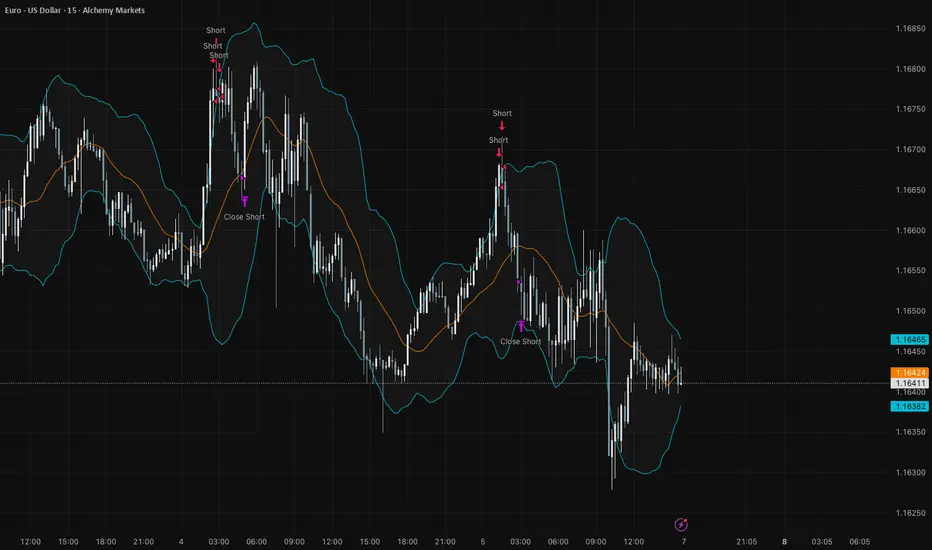
Bottom Up - Reverso ProReverso Pro by Bottom Up - Excess is the signal. Reversion is the edge.
Reverso is a mean reverting indicator that identifies market excesses and signals reversals for highly probable retracements to an average value.
Reverso's algorithm is extremely precise because it also takes into account the historical volatility of the instrument and constantly recalibrates itself dynamically without repainting.
This tool is suitable for mean-reversion traders who want to study EMA reactions, understand market trends, and refine entry/exit strategies based on price-memory dynamics.
Why Reverso Pro is different (This isn’t just another indicator)
Zero repainting – What you see is what you get. No tricks, no redraws, ever.
Dynamically adapts to the historical volatility of the instrument — works the same on Forex, stocks, indices, or some random crypto.
Constant real-time recalibration — adjusts instantly to volatility regime changes.
Fully adjustable sensitivity — From machine-gun signals for brutal scalping to only the most extreme deviations for monster-probability swing trades.
Native multi-timeframe control — Choose the timeframe used for signal calculation (5 min, 1H, daily, or custom). Reverso bends to your style.
When a Reverso signal fires:
Price has reached a statistically extreme deviation from its historical memory.
The probability of a snapback to the mean is at its peak.
It’s time to go counter-trend with the lowest risk and the highest reward possible.
Customization Options
You can use it on any timeframe and instrument.
You can customize also the timeframe over which the signals are processed to suit very fast scalping trading or to intercept slower and longer movements for swing trading.
The sensitivity of the indicator can also be customized to emit multiple signals or identify only the most extreme levels of deviation from the mean.
Add to chart. Turn on alerts. Happy trading!
Bottom Up - The Ecosystem Designed for Traders
bottomup.finance

Stochastic Hash Strat [Hash Capital Research]# Stochastic Hash Strategy by Hash Capital Research
## 🎯 What Is This Strategy?
The **Stochastic Slow Strategy** is a momentum-based trading system that identifies oversold and overbought market conditions to capture mean-reversion opportunities. Think of it as a "buy low, sell high" approach with smart mathematical filters that remove emotion from your trading decisions.
Unlike fast-moving indicators that generate excessive noise, this strategy uses **smoothed stochastic oscillators** to identify only the highest-probability setups when momentum truly shifts.
---
## 💡 Why This Strategy Works
Most traders fail because they:
- **Chase prices** after big moves (buying high, selling low)
- **Overtrade** in choppy, directionless markets
- **Exit too early** or hold losses too long
This strategy solves all three problems:
1. **Entry Discipline**: Only trades when the stochastic oscillator crosses in extreme zones (oversold for longs, overbought for shorts)
2. **Cooldown Filter**: Prevents revenge trading by forcing a waiting period after each trade
3. **Fixed Risk/Reward**: Pre-defined stop-loss and take-profit levels ensure consistent risk management
**The Math Behind It**: The stochastic oscillator measures where the current price sits relative to its recent high-low range. When it's below 25, the market is oversold (time to buy). When above 70, it's overbought (time to sell). The crossover with its moving average confirms momentum is shifting.
---
## 📊 Best Markets & Timeframes
### ⭐ OPTIMAL PERFORMANCE:
**Crude Oil (WTI) - 12H Timeframe**
- **Why it works**: Oil markets have predictable volatility patterns and respect technical levels
**AAVE/USD - 4H to 12H Timeframe**
- **Why it works**: DeFi tokens exhibit strong momentum cycles with clear extremes
### ✅ Also Works Well On:
- **BTC/USD** (12H, Daily) - Lower frequency but high win rate
- **ETH/USD** (8H, 12H) - Balanced volatility and liquidity
- **Gold (XAU/USD)** (Daily) - Classic mean-reversion asset
- **EUR/USD** (4H, 8H) - Lower volatility, requires patience
### ❌ Avoid Using On:
- Timeframes below 4H (too much noise)
- Low-liquidity altcoins (wide spreads kill performance)
- Strongly trending markets without pullbacks (Bitcoin in 2021)
- News-driven instruments during major events
---
## 🎛️ Understanding The Settings
### Core Stochastic Parameters
**Stochastic Length (Default: 16)**
- Controls the lookback period for price comparison
- Lower = faster reactions, more signals (10-14 for volatile markets)
- Higher = smoother signals, fewer trades (16-21 for stable markets)
- **Pro tip**: Use 10 for crypto 4H, 16 for commodities 12H
**Overbought Level (Default: 70)**
- Threshold for short entries
- Lower values (65-70) = more trades, earlier entries
- Higher values (75-80) = fewer but higher-conviction trades
- **Sweet spot**: 70 works for most assets
**Oversold Level (Default: 25)**
- Threshold for long entries
- Higher values (25-30) = more trades, earlier entries
- Lower values (15-20) = fewer but stronger bounce setups
- **Sweet spot**: 20-25 depending on market conditions
**Smooth K & Smooth D (Default: 7 & 3)**
- Additional smoothing to filter out whipsaws
- K=7 makes the indicator slower and more reliable
- D=3 is the signal line that confirms the trend
- **Don't change these unless you know what you're doing**
---
### Risk Management
**Stop Loss % (Default: 2.2%)**
- Automatically exits losing trades
- Should be 1.5x to 2x your average market volatility
- Too tight = death by a thousand cuts
- Too wide = uncontrolled losses
- **Calibration**: Check ATR indicator and set SL slightly above it
**Take Profit % (Default: 7%)**
- Automatically exits winning trades
- Should be 2.5x to 3x your stop loss (reward-to-risk ratio)
- This default gives 7% / 2.2% = 3.18:1 R:R
- **The golden rule**: Never have R:R below 2:1
---
### Trade Filters
**Bar Cooldown Filter (Default: ON, 3 bars)**
- **What it does**: Forces you to wait X bars after closing a trade before entering a new one
- **Why it matters**: Prevents emotional revenge trading and overtrading in choppy markets
- **Settings guide**:
- 3 bars = Standard (good for most cases)
- 5-7 bars = Conservative (oil, slow-moving assets)
- 1-2 bars = Aggressive (only for experienced traders)
**Exit on Opposite Extreme (Default: ON)**
- Closes your long when stochastic hits overbought (and vice versa)
- Acts as an early profit-taking mechanism
- **Leave this ON** unless you're testing other exit strategies
**Divergence Filter (Default: OFF)**
- Looks for price/momentum divergences for additional confirmation
- **When to enable**: Trending markets where you want fewer but higher-quality trades
- **Keep OFF for**: Mean-reverting markets (oil, forex, most of the time)
---
## 🚀 Quick Start Guide
### Step 1: Set Up in TradingView
1. Open TradingView and navigate to your chart
2. Click "Pine Editor" at the bottom
3. Copy and paste the strategy code
4. Click "Add to Chart"
5. The strategy will appear in a separate pane below your price chart
### Step 2: Choose Your Market
**If you're trading Crude Oil:**
- Timeframe: 12H
- Keep all default settings
- Watch for signals during London/NY overlap (8am-11am EST)
**If you're trading AAVE or crypto:**
- Timeframe: 4H or 12H
- Consider these adjustments:
- Stochastic Length: 10-14 (faster)
- Oversold: 20 (more aggressive)
- Take Profit: 8-10% (higher targets)
### Step 3: Wait for Your First Signal
**LONG Entry** (Green circle appears):
- Stochastic crosses up below oversold level (25)
- Price likely near recent lows
- System places limit order at take profit and stop loss
**SHORT Entry** (Red circle appears):
- Stochastic crosses down above overbought level (70)
- Price likely near recent highs
- System places limit order at take profit and stop loss
**EXIT** (Orange circle):
- Position closes either at stop, target, or opposite extreme
- Cooldown period begins
### Step 4: Let It Run
The biggest mistake? **Interfering with the system.**
- Don't close trades early because you're scared
- Don't skip signals because you "have a feeling"
- Don't increase position size after a big win
- Don't revenge trade after a loss
**Follow the system or don't use it at all.**
---
### Important Risks:
1. **Drawdown Pain**: You WILL experience losing streaks of 5-7 trades. This is mathematically normal.
2. **Whipsaw Markets**: Choppy, range-bound conditions can trigger multiple small losses.
3. **Gap Risk**: Overnight gaps can cause your actual fill to be worse than the stop loss.
4. **Slippage**: Real execution prices differ from backtested prices (factor in 0.1-0.2% slippage).
---
## 🔧 Optimization Guide
### When to Adjust Settings:
**Market Volatility Increased?**
- Widen stop loss by 0.5-1%
- Increase take profit proportionally
- Consider increasing cooldown to 5-7 bars
**Getting Too Few Signals?**
- Decrease stochastic length to 10-12
- Increase oversold to 30, decrease overbought to 65
- Reduce cooldown to 2 bars
**Getting Too Many Losses?**
- Increase stochastic length to 18-21 (slower, smoother)
- Enable divergence filter
- Increase cooldown to 5+ bars
- Verify you're on the right timeframe
### A/B Testing Method:
1. **Run default settings for 50 trades** on your chosen market
2. Document: Win rate, profit factor, max drawdown, emotional tolerance
3. **Change ONE variable** (e.g., oversold from 25 to 20)
4. Run another 50 trades
5. Compare results
6. Keep the better version
**Never change multiple settings at once** or you won't know what worked.
---
## 📚 Educational Resources
### Key Concepts to Learn:
**Stochastic Oscillator**
- Developed by George Lane in the 1950s
- Measures momentum by comparing closing price to price range
- Formula: %K = (Close - Low) / (High - Low) × 100
- Similar to RSI but more sensitive to price movements
**Mean Reversion vs. Trend Following**
- This is a **mean reversion** strategy (price returns to average)
- Works best in ranging markets with defined support/resistance
- Fails in strong trending markets (2017 Bitcoin, 2020 Tech stocks)
- Complement with trend filters for better results
**Risk:Reward Ratio**
- The cornerstone of profitable trading
- Winning 40% of trades with 3:1 R:R = profitable
- Winning 60% of trades with 1:1 R:R = breakeven (after fees)
- **This strategy aims for 45% win rate with 2.5-3:1 R:R**
### Recommended Reading:
- *"Trading Systems and Methods"* by Perry Kaufman (Chapter on Oscillators)
- *"Mean Reversion Trading Systems"* by Howard Bandy
- *"The New Trading for a Living"* by Dr. Alexander Elder
---
## 🛠️ Troubleshooting
### "I'm not seeing any signals!"
**Check:**
- Is your timeframe 4H or higher?
- Is the stochastic actually reaching extreme levels (check if your asset is stuck in middle range)?
- Is cooldown still active from a previous trade?
- Are you on a low-liquidity pair?
**Solution**: Switch to a more volatile asset or lower the overbought/oversold thresholds.
---
### "The strategy keeps losing money!"
**Check:**
- What's your win rate? (Below 35% is concerning)
- What's your profit factor? (Below 0.8 means serious issues)
- Are you trading during major news events?
- Is the market in a strong trend?
**Solution**:
1. Verify you're using recommended markets/timeframes
2. Increase cooldown period to avoid choppy markets
3. Reduce position size to 5% while you diagnose
4. Consider switching to daily timeframe for less noise
---
### "My stop losses keep getting hit!"
**Check:**
- Is your stop loss tighter than the average ATR?
- Are you trading during high-volatility sessions?
- Is slippage eating into your buffer?
**Solution**:
1. Calculate the 14-period ATR
2. Set stop loss to 1.5x the ATR value
3. Avoid trading right after market open or major news
4. Factor in 0.2% slippage for crypto, 0.1% for oil
---
## 💪 Pro Tips from the Trenches
### Psychological Discipline
**The Three Deadly Sins:**
1. **Skipping signals** - "This one doesn't feel right"
2. **Early exits** - "I'll just take profit here to be safe"
3. **Revenge trading** - "I need to make back that loss NOW"
**The Solution:** Treat your strategy like a business system. Would McDonald's skip making fries because the cashier "doesn't feel like it today"? No. Systems work because of consistency.
---
### Position Management
**Scaling In/Out** (Advanced)
- Enter 50% position at signal
- Add 50% if stochastic reaches 10 (oversold) or 90 (overbought)
- Exit 50% at 1.5x take profit, let the rest run
**This is NOT for beginners.** Master the basic system first.
---
### Market Awareness
**Oil Traders:**
- OPEC meetings = volatility spikes (avoid or widen stops)
- US inventory reports (Wed 10:30am EST) = avoid trading 2 hours before/after
- Summer driving season = different patterns than winter
**Crypto Traders:**
- Monday-Tuesday = typically lower volatility (fewer signals)
- Thursday-Sunday = higher volatility (more signals)
- Avoid trading during exchange maintenance windows
---
## ⚖️ Legal Disclaimer
This trading strategy is provided for **educational purposes only**.
- Past performance does not guarantee future results
- Trading involves substantial risk of loss
- Only trade with capital you can afford to lose
- No one associated with this strategy is a licensed financial advisor
- You are solely responsible for your trading decisions
**By using this strategy, you acknowledge that you understand and accept these risks.**
---
## 🙏 Acknowledgments
Strategy development inspired by:
- George Lane's original Stochastic Oscillator work
- Modern quantitative trading research
- Community feedback from hundreds of backtests
Built with ❤️ for retail traders who want systematic, disciplined approaches to the markets.
---
**Good luck, stay disciplined, and trade the system, not your emotions.**
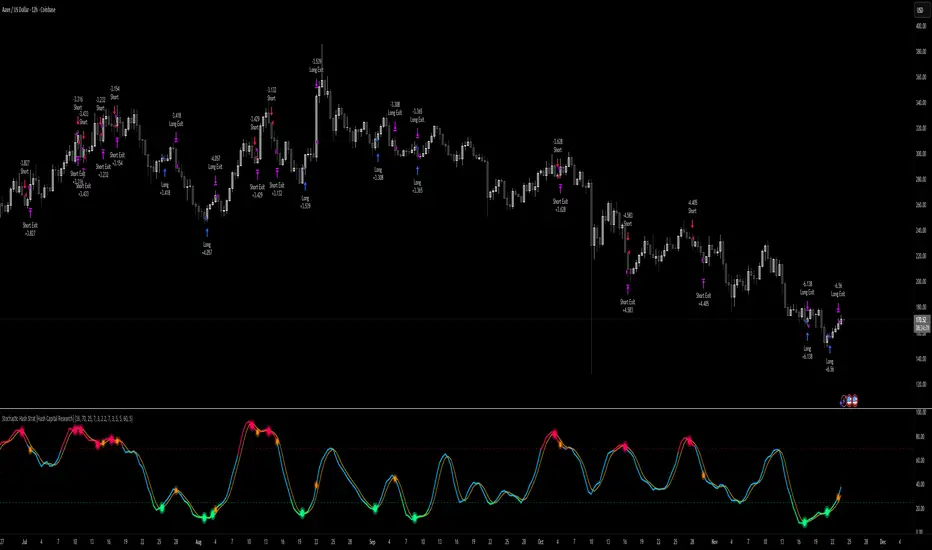
Order-Flow Proxy (VWAP Deviation Zones)Order-Flow Proxy (VWAP Deviation Zones) helps traders visualize when market price moves unusually far away from its Volume-Weighted Average Price (VWAP) — a key fair-value level used by institutional participants.
When price stretches too far above or below VWAP, it often signals temporary imbalance between buying and selling pressure.
This tool highlights those moments using simple color zones and an optional statistical Z-Score filter for deeper precision.
In short: it’s a clean, minimal mean-reversion indicator showing when price is statistically “too far” from fair value.
Red zone → Price extended above VWAP → possible buyer exhaustion or short setup.
Green zone → Price extended below VWAP → possible seller exhaustion or long setup.
VWAP line → Acts as a dynamic fair-value anchor.
Concept:
VWAP combines both price and traded volume to define where most transactions occurred.
Deviations from it — measured either by a fixed distance (1%) or by Z-Score — can reveal overvaluation or undervaluation zones used by professional traders for contrarian setups.
How to use:
Apply the indicator to any intraday chart (1m–1h recommended).
Watch for background color shifts — red or green.
Optionally enable the Z-Score filter to focus only on statistically extreme deviations.
Combine with volume spikes, liquidity sweeps, or your own order-flow tools for confirmation.
Tip:
Best used as a visual overlay for detecting stretched markets and potential reversals.

Reversals & Pullbacks PRO🚀 Reversals & Pullbacks Pro — Predict Market Turning Points with Precision
Stop chasing trends — start anticipating them.
The Reversals & Pullbacks Pro indicator identifies high-probability reversal and pullback zones before they happen, using advanced mean reversion logic and momentum change signals.
What it does:
✅ Detects major reversals and minor pullbacks in real time
✅ Uses dynamic mean reversion algorithms to spot over-extended price moves
✅ Highlights premium entry zones for counter-trend and trend-reversal setups
✅ Works across many markets — Designed for Forex and Indices but can be used on Crypto
✅ Clean visuals with smart alerts (no repainting after candle close)
💡 Perfect for:
Swing traders, scalpers, and day traders who want to catch price turning points before everyone else.
⏱️ Don’t react — predict.
Upgrade your trading with Reversals & Pullback Pro and trade market reversals like a PRO!

VWAP Entry Assistant (v1.0)Description:
Anchored VWAP with a lightweight assistant for VWAP reversion trades.
It shows the distance to VWAP, an estimated hit probability for the current bar, the expected number of bars to reach VWAP, and a recommended entry price.
If the chance of touching VWAP is low, the script suggests an adjusted limit using a fraction of ATR.
The VWAP line is white by default, and a compact summary table appears at the bottom-left.
Educational tool. Not financial advice. Not affiliated with TradingView or any exchange. Always backtest before use.

Volume Delta [BigBeluga]🔵 OVERVIEW
The Volume Delta indicator visualizes the dominance between buying and selling volume within a given period. It calculates the percentage of bullish (buy) versus bearish (sell) volume, then color-codes the candles and provides a real-time dashboard comparing delta values across multiple currency pairs. This makes it a powerful tool for monitoring order-flow strength and intermarket relationships in real time.
🔵 CONCEPTS
Each bar’s buy volume is counted when the close is higher than the open.
Each bar’s sell volume is counted when the close is lower than the open.
volumeBuy = 0.
volumeSell = 0.
for i = 0 to period
if close > open
volumeBuy += volume
else
volumeSell += volume
The indicator sums both over a chosen period to calculate the ratio of buy-to-sell pressure.
Delta (%) = (Buy Volume ÷ (Buy Volume + Sell Volume)) × 100.
Gradient colors highlight whether buying or selling pressure dominates.
🔵 FEATURES
Calculates real-time Volume Delta for the selected chart or for multiple assets.
Colors candles dynamically based on the delta intensity (green = buy pressure, red = sell pressure).
Displays a dashboard table showing volume delta % for up to five instruments.
The dashboard features visual progress bars for quick intermarket comparison.
An optional Delta Bar Panel shows the ratio of Buy/Sell volumes near the latest bar.
A floating label shows the exact Buy/Sell percentages.
Works across all symbols and timeframes for multi-asset delta tracking.
🔵 HOW TO USE
When Buy % > Sell % , it often signals bullish momentum or strong accumulation—but can also indicate over-excitement and a possible market top.
Market Tops
When Sell % > Buy % , it typically reflects bearish pressure or distribution—but may also occur near a market bottom where selling exhaustion forms.
Market Bottom
Use the Dashboard to compare volume flow across correlated assets (e.g., major Forex pairs or sector groups).
Combine readings with trend or volatility filters to confirm whether the imbalance aligns with broader directional conviction.
Treat the Delta Bar visualization as a real-time sentiment gauge—showing which side (buyers or sellers) dominates the current session.
🔵 CONCLUSION
Volume Delta transforms volume analysis into an intuitive directional signal.
By quantifying buy/sell pressure and displaying it as a percentage or color gradient, it provides traders with a clearer picture of real-time volume imbalance — whether within one market or across multiple correlated instruments.

PG DMean & Price Sync ver 9.4 - ConsolidatedPG DMean & Price Sync Strategy (SD Filter)
This strategy combines the momentum-oscillator properties of the Detrended Mean (DMean) with a Standard Deviation (SD) Price Filter for confirming trend direction, aiming to isolate high-conviction trades while actively managing risk.
🔑 Core Logic
DMean Momentum Signal: The strategy's primary engine is the DMean, which measures the percentage difference between the current closing price and a longer-term Moving Average (price_ma). It is then smoothed by a DMean Signal line (MA of the DMean).
Entry Signal: A trade is triggered when the DMean line crosses above (for Long) or below (for Short) its Signal Line, but it must clear a user-defined Dead Zone Threshold to confirm momentum commitment.
SD Filter Confirmation (Price Sync): A Standard Deviation Channel, based on a separate user-defined price source and period, is used to filter trades.
Long Filter: Allows Long entries only when the price is trading above the lower SD band, suggesting the current price action is stronger than the recent average volatility to the downside.
Short Filter: Allows Short entries only when the price is currently below the Filter Basis (SMA), confirming a bearish stance within the SD channel.
🛡️ Risk & Exit Management
Primary Exit: All trades are exited by reverse DMean Crossover/Crossunder, meaning the position is closed when the DMean momentum reverses against the open trade (e.g., DMean crosses under the Signal to exit a Long).
Hard Stop Loss (Short Trades): A mandatory percentage-based Hard Stop Loss is implemented only for short positions to protect against sudden upward price spikes, closing the trade if the loss exceeds the set percentage. (Note: This version does not include a Hard SL for Long trades).
📊 Performance Dashboard
A custom Performance Dashboard Table is displayed at the bottom right of the chart to provide real-time, at-a-glance comparison of the strategy's equity performance versus a simple Buy & Hold over the selected backtesting date range.

Mean Reversion Probability Zones [BigBeluga]🔵 OVERVIEW
The Mean Reversion Probability Zones indicator measures the likelihood of price reverting back toward its mean . By analyzing oscillator dynamics (RSI, MFI, or Stochastic), it calculates probability zones both above and below the oscillator. These zones are visualized as histograms, colored regions on the main chart, and a compact dashboard, helping traders spot when the market is statistically stretched and more likely to revert.
🔵 CONCEPTS
Mean Reversion : The tendency of price to return to its average after significant extensions.
Oscillator-Based Analysis : Uses RSI, MFI, or Stochastic as the base signal for detecting overextension.
Probability Model : The probability of reversion is computed using three factors:
Whether the oscillator is rising or declining.
Whether the oscillator is above or below user-defined thresholds.
The oscillator’s actual value (distance from equilibrium).
Dual-Zone Output :
Upper histogram = probability of downward mean reversion.
Lower histogram = probability of upward mean reversion.
Historical Extremes : The dashboard highlights the recent maximum probability values for both upward and downward scenarios.
🔵 FEATURES
Oscillator Choice : Switch between RSI, MFI, and Stochastic.
Customizable Zones : User-defined upper/lower thresholds with independent colors.
Probability Histograms :
Above oscillator → down reversion probability.
Below oscillator → up reversion probability.
Colored Gradient Zones on Chart : Visual overlays showing where mean reversion probabilities are strongest.
Probability Labels : Percentages displayed next to histogram values for clarity.
Dashboard : Compact table in the corner showing the recent maximum probabilities for both upward and downward mean reversion.
Overlay Compatibility : Works in both chart pane and sub-pane with oscillators.
🔵 HOW TO USE
Set Oscillator : Choose RSI, MFI, or Stochastic depending on your strategy style.
Adjust Zones : Define upper/lower bounds for when oscillator values indicate strong overbought/oversold conditions.
Interpret Histograms :
Orange (upper) histogram → higher chance of a pullback/downward mean reversion.
Green (lower) histogram → higher chance of upward reversion/bounce.
Watch Gradient Zones : On the main chart, shaded areas highlight where probability of mean reversion is elevated.
Consult Dashboard : Use the “Recent MAX” values to understand how strong recent reversion probabilities have been in either direction.
Confluence Strategy : Combine with support/resistance, order flow, or trend filters to avoid counter-trend trades.
🔵 CONCLUSION
The Mean Reversion Probability Zones provides traders with an advanced way to quantify and visualize mean reversion opportunities. By blending oscillator momentum, threshold logic, and probability calculations, it highlights when markets are statistically stretched and primed for reversal. Whether you are a contrarian trader or simply looking for exhaustion signals to fade, this tool helps bring structure and clarity to mean reversion setups.

Cointegration IndicationThis indicator is inspired by Nobel Prize–winning research (Engle & Granger, 1987). The core idea is simple but powerful: even if two markets look noisy on their own, their relationship can be surprisingly stable over the long run. When they drift apart, history suggests they often snap back together and that’s exactly where opportunities arise.
What this tool does is bring that theory into practice. It estimates a long-run equilibrium between two assets (Y ~ α + βX), calculates the residual spread (ε), and then evaluates whether that spread behaves in a mean-reverting way. The Z-Score tells you when the spread has moved far from its historical mean. The Error Correction Model (ECM) adds a second layer: it checks whether the spread tends to close again, and how strong that adjustment pressure is. If λ is negative and stable, the relationship is cointegrated and mean-reverting. If not, the pair is unstable — even if the Z-Score looks attractive.
Signals are summarized clearly:
– Strong Setup appears when we see both extreme divergence and a stable, negative λ.
– Weak Setup means only partial confirmation.
– Invalid means the relationship is breaking down.
Why this matters
Cointegration analysis is widely used by institutional desks, especially in pairs trading, statistical arbitrage, and risk management. Classic cases include equity index futures vs ETFs (Alexander, 2001), oil vs energy stocks (Chen & Huang, 2010), or swap spreads in fixed income (Tsay, 2010). In crypto, temporary cointegration has been observed between BTC and ETH in periods of high liquidity (Corbet et al., 2018). With this indicator, you can explore these relationships directly on TradingView, test asset pairs, and see when divergences become statistically significant.
Limitations to keep in mind
– Timeframe choice matters: Daily calculations are usually more stable; weekly or intraday often show unstable signals. To avoid confusion, you can fix the calculation timeframe in the settings.
– Cointegration is not permanent. Structural breaks (earnings, regulation, macro shifts) can destroy old relationships.
– Results are approximate. Rolling regressions, Z-Scores, and ECM estimates are sensitive to the length of the chosen windows.
– This is a research tool — not a ready-made trading system. It should be used as one piece in a broader framework.
References
Alexander, C. (2001). Market models: A guide to financial data analysis. Wiley.
Chen, S. S., & Huang, C. W. (2010). Long-run equilibrium and short-run dynamics in energy stock prices and oil prices. Energy Economics, 32(1), 19–26.
Corbet, S., Meegan, A., Larkin, C., Lucey, B., & Yarovaya, L. (2018). Exploring the dynamic relationships between cryptocurrencies and other financial assets. Economics Letters, 165, 28–34.
Engle, R. F., & Granger, C. W. J. (1987). Co-integration and error correction: Representation, estimation, and testing. Econometrica, 55(2), 251–276.
Tsay, R. S. (2010). Analysis of financial time series (3rd ed.). Wiley.

20 MA ReversionA mean reversion tactic with the 20 SMA:
the indicator is chcking specific parameters, such as the volume related to the last day's volume, distance from 20 SMA, CCI values and changes, trends, and recent gaps that will act as a magnet.
enjoy!

Monthly VWAPDescription
This indicator identifies potential mean reversion opportunities by tracking price deviations from monthly VWAP with dynamic volatility-adjusted thresholds.
Core Logic:
The indicator monitors when price moves significantly away from monthly VWAP and looks for potential reversal opportunities. It uses ATR-based dynamic thresholds that adapt to current market volatility, combined with volume confirmation to filter out weak signals.
Key Features:
Adaptive Thresholds: ATR-based bands that adjust to market volatility
Volume Confirmation: Requires average volume spike to validate signals
Monthly Reset: VWAP anchors reset each month for fresh reference levels
Visual Clarity: Color-coded deviation line with background highlights for active signals
Info Panel: Shows days from anchor and current price context vs fair value
Signal Generation:
Buy Signal: Price below monthly VWAP by threshold amount with elevated volume
Sell Signal: Price above monthly VWAP by threshold amount with elevated volume
Neutral: Price within threshold range or insufficient volume
Best Used For:
Mean reversion strategies in ranging markets
Identifying potential oversold/overbought conditions
Understanding price position relative to monthly fair value