INVITE-ONLY SCRIPT
已更新 Moving Average Tool for Indicators
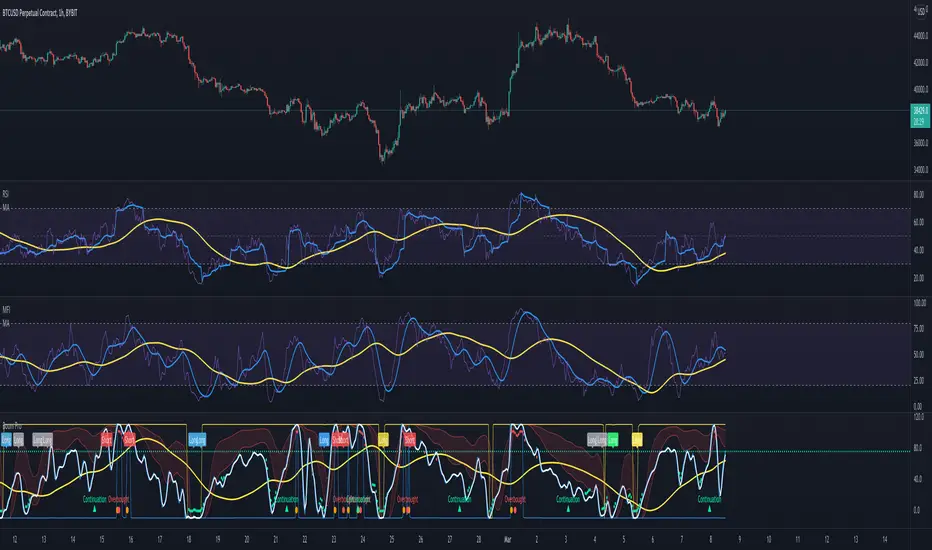
This indicator drops up to 2 moving average lines on top of any indicator. There are 11 different moving averages to choose from including 2 of my own, ZLSMA and WMA MOD. It also comes with a fixed scale option so you can lock it to an indicators scale. Simply click the enable button and enter the scale high and low of the indicator you want to track. In most cases it is 100-0. To use this moving average tool just load up any indicator like RSI or MFI etc then load up the Moving Average Tool for Indicators and drop it on top. In the settings choose the indicator you want to track in the source box. Now you can easily find entries and identify trends that were not so obvious.
This is a very handy tool that will extend the usability of all your indicators. It can even track other timeframes. Below is a screenshot working with Awesome Oscillator.

This is a very handy tool that will extend the usability of all your indicators. It can even track other timeframes. Below is a screenshot working with Awesome Oscillator.
發行說明
Minor fix to inputs.發行說明
Added first pullback signals and alertsAdded alerts for crossing over and under MA

免責聲明
這些資訊和出版物並非旨在提供,也不構成TradingView提供或認可的任何形式的財務、投資、交易或其他類型的建議或推薦。請閱讀使用條款以了解更多資訊。